Ek Time makes school timetables and daily substitutions easier for teachers
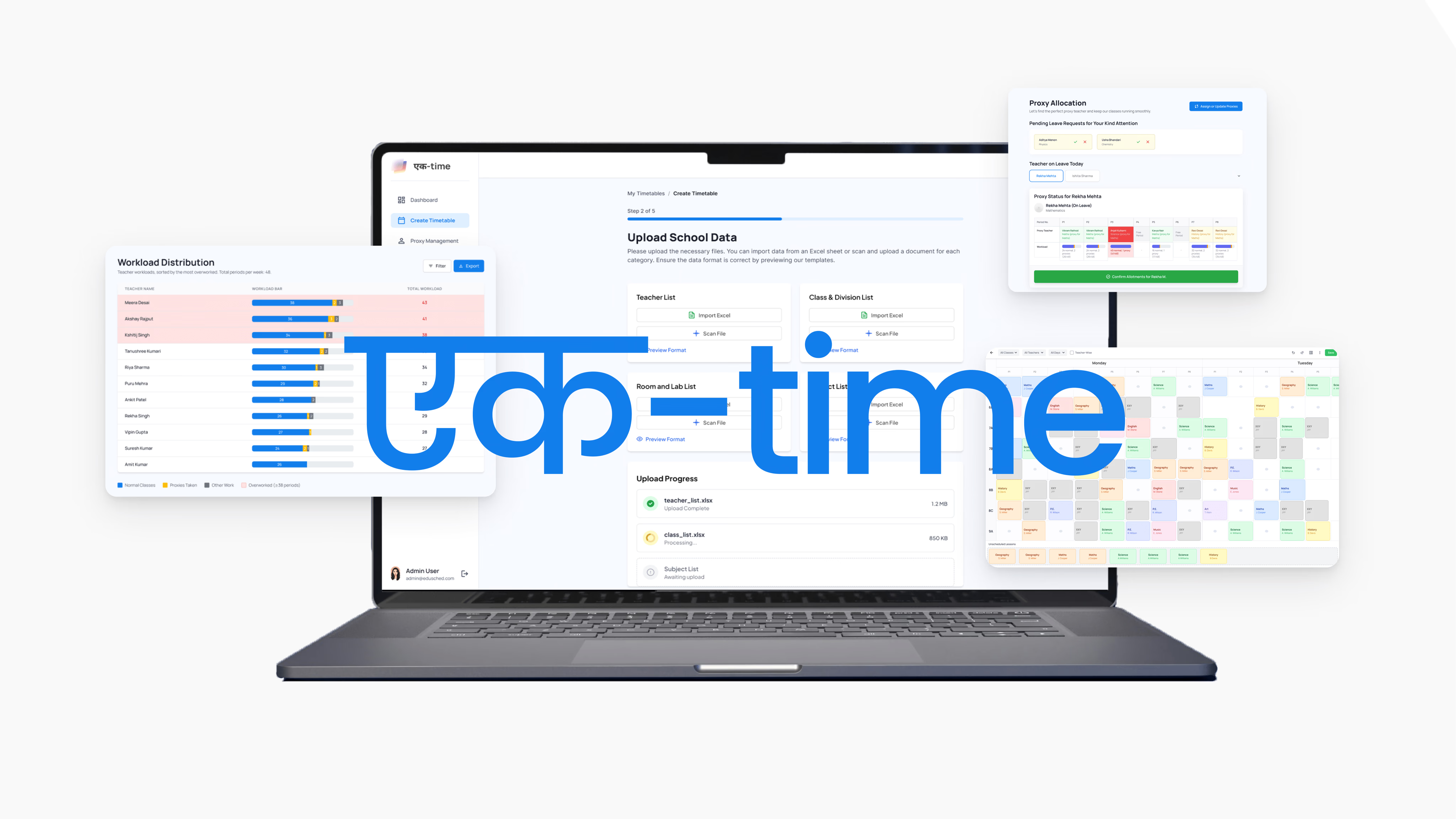
This project was developed as part of a 3-week Interaction Design course at IDC, IIT Bombay under Prof. Anirudha Joshi.
Field visits and contextual inquiry shifted our focus from generating timetables to helping staff manage the daily rush of teacher substitutions.
Akshay R Nair
Kshitij Garg
Puru Vats
Tanushree Pillai
Vipin
We’ve all sat through years of school, so we carry this quiet confidence about how timetables work. Six periods a day, a lunch break somewhere in the middle, a couple of subjects a day.
That was our assumption too, going into this project. Except here’s the twist: the moment you actually try to build one, it stops looking like a simple grid and starts looking like a maze. Every subject needs its own slice of time, every teacher has their own availability, every classroom has its own occupancy limits, and all of it has to line up at once. Add a few more constraints and what looked like filling in boxes turns into something closer to solving a sudoku, except the puzzle changes shape every time you touch it.
Design a backend web app for school admins to design timetables that can run in a common browser either on phones or desktop.
Everything seemed to be running like a well-oiled machine.
Initial remote interviews suggested the existing timetable system worked well enough.
But this reading was shaped by two things: admins and teachers struggled to articulate their actual practices and pain points remotely, and they were
To close this gap, we ran
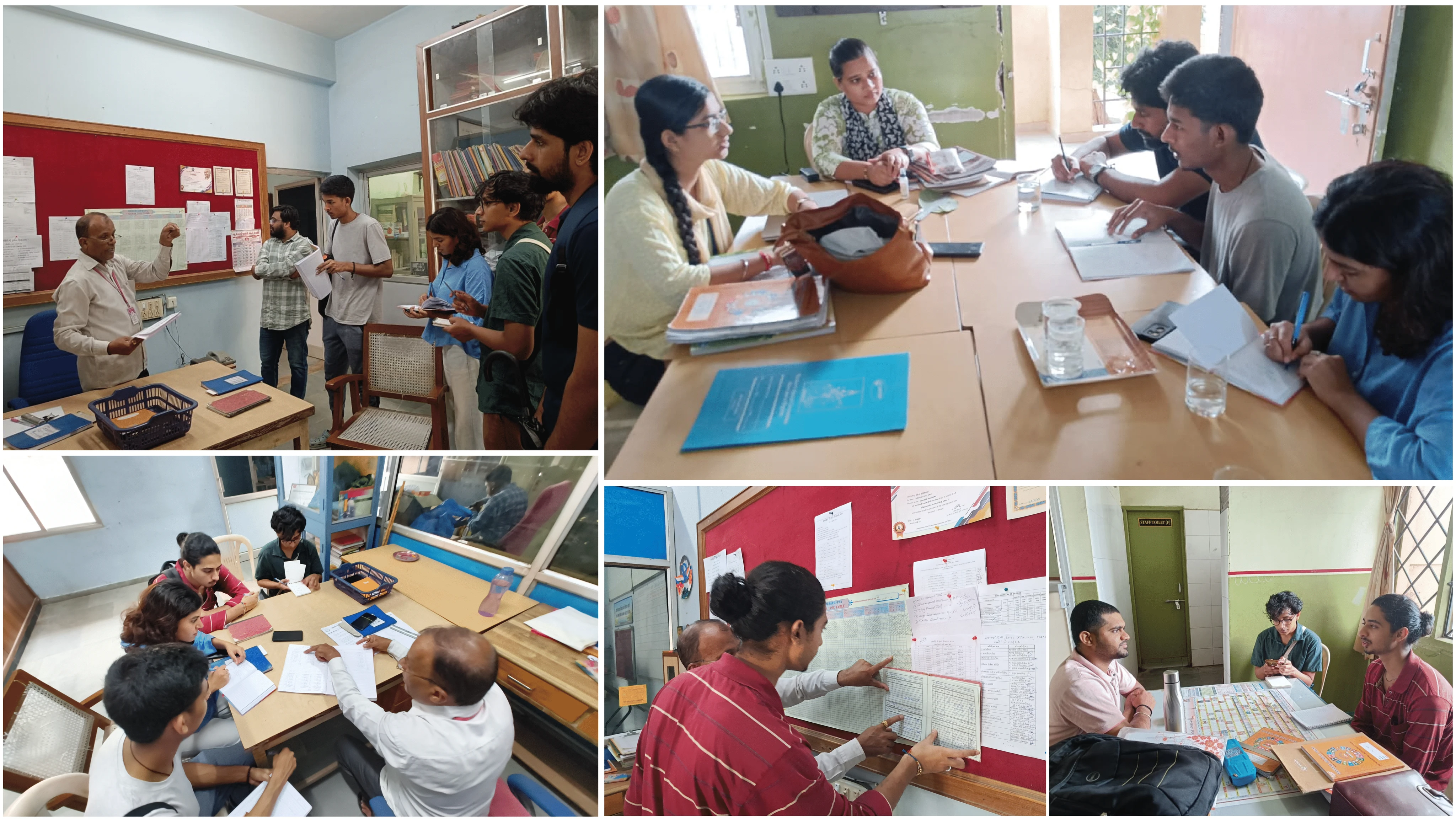
This surfaced hidden workarounds, workload imbalances, and operational stress that remote interviews had missed. We also kept the inquiry broader than timetables alone, extending it to other parts of the school day where meaningful design opportunities could emerge.
A closer look at how timetables actually live and work
We visited multiple schools to understand how timetable creation, reference, and daily use actually played out, not just the tool itself, but the habits, artifacts, and routines built around it.
What we found was that no two schools did it the same way, each had their own method, with little overlap between them.
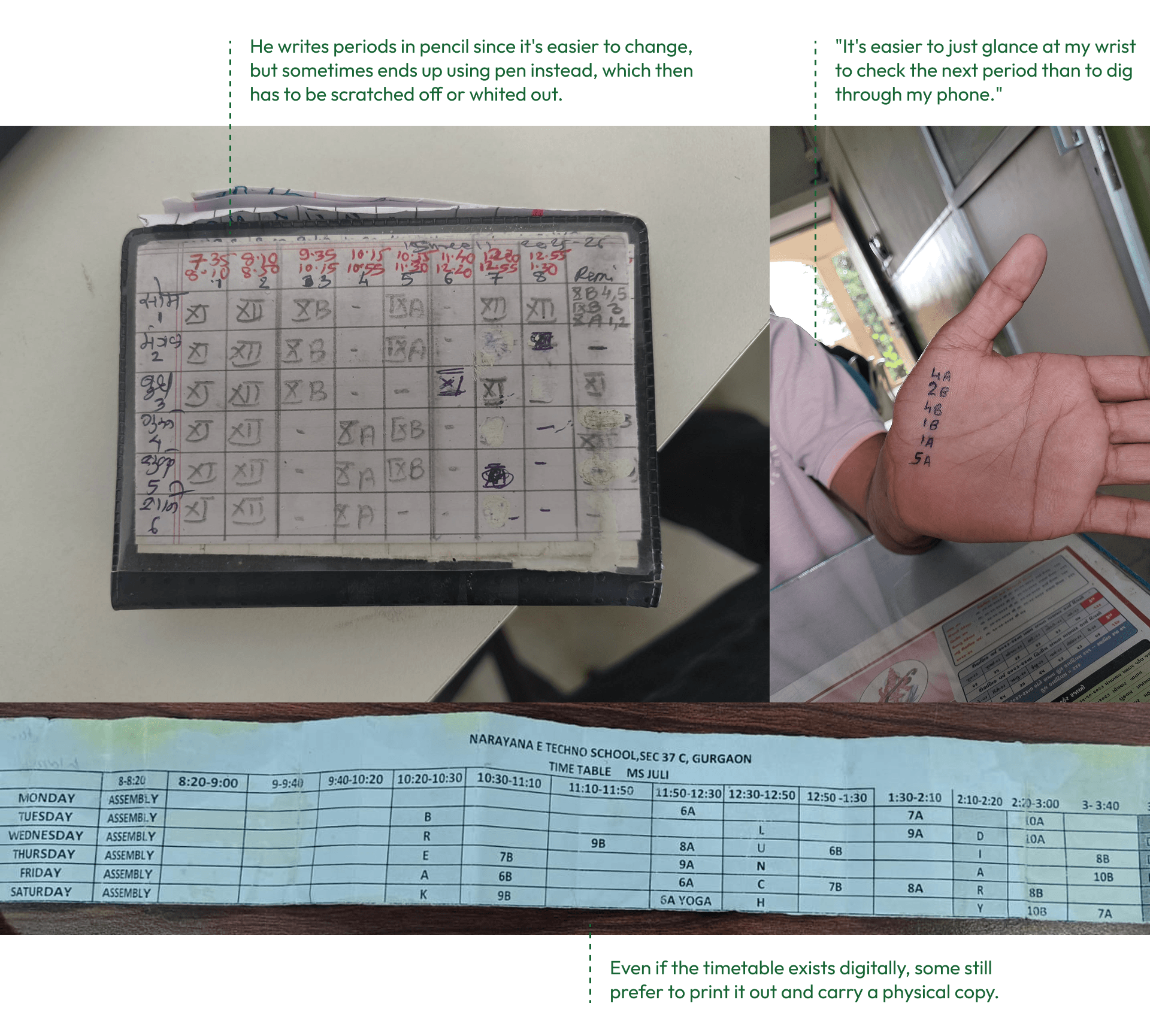
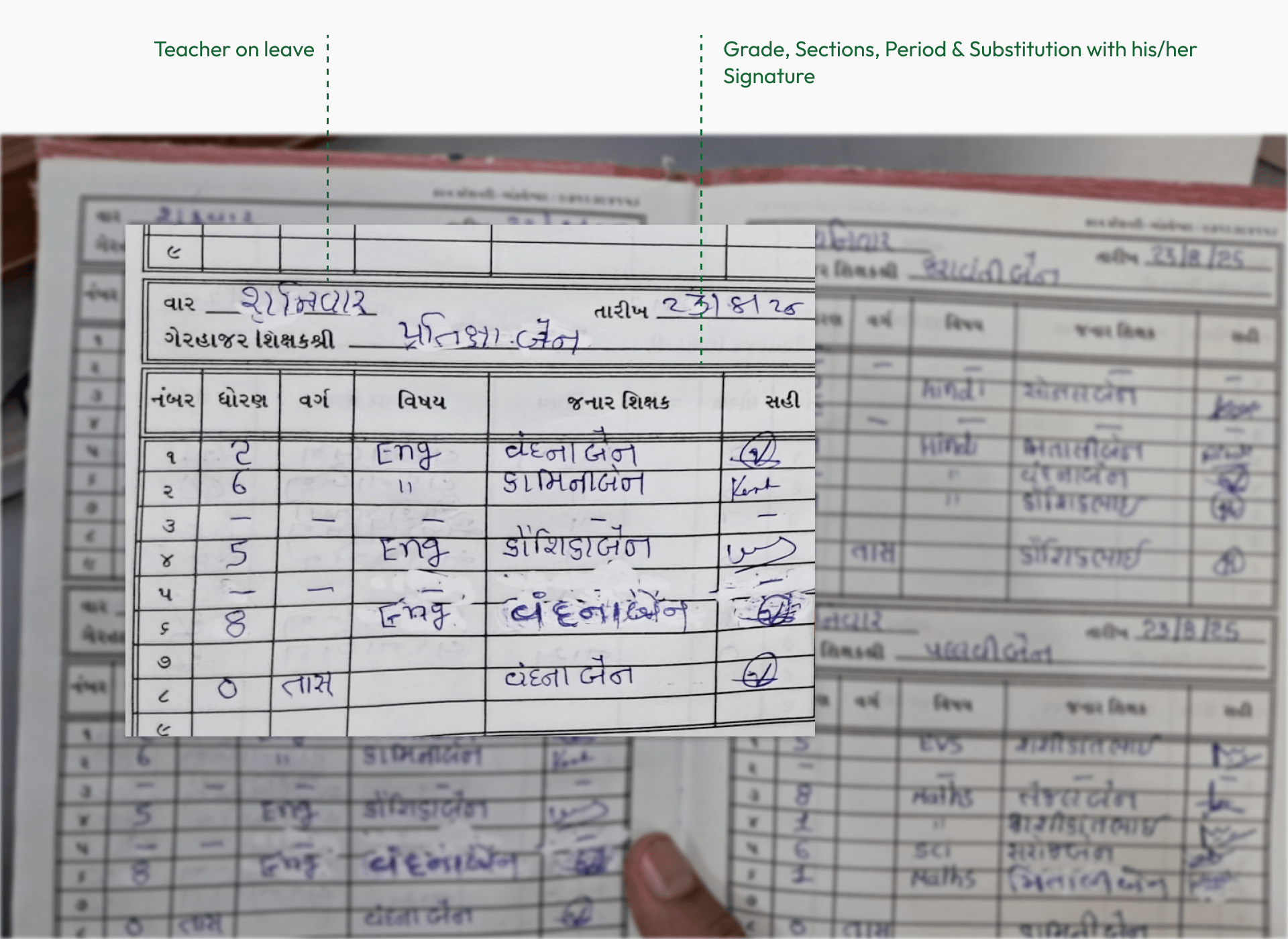
Many maintained a master timetable, either digital or a massive sheet pinned to a wall, while teachers often carried their own pocket versions, some typed, some handwritten, referring back to them constantly throughout the day.
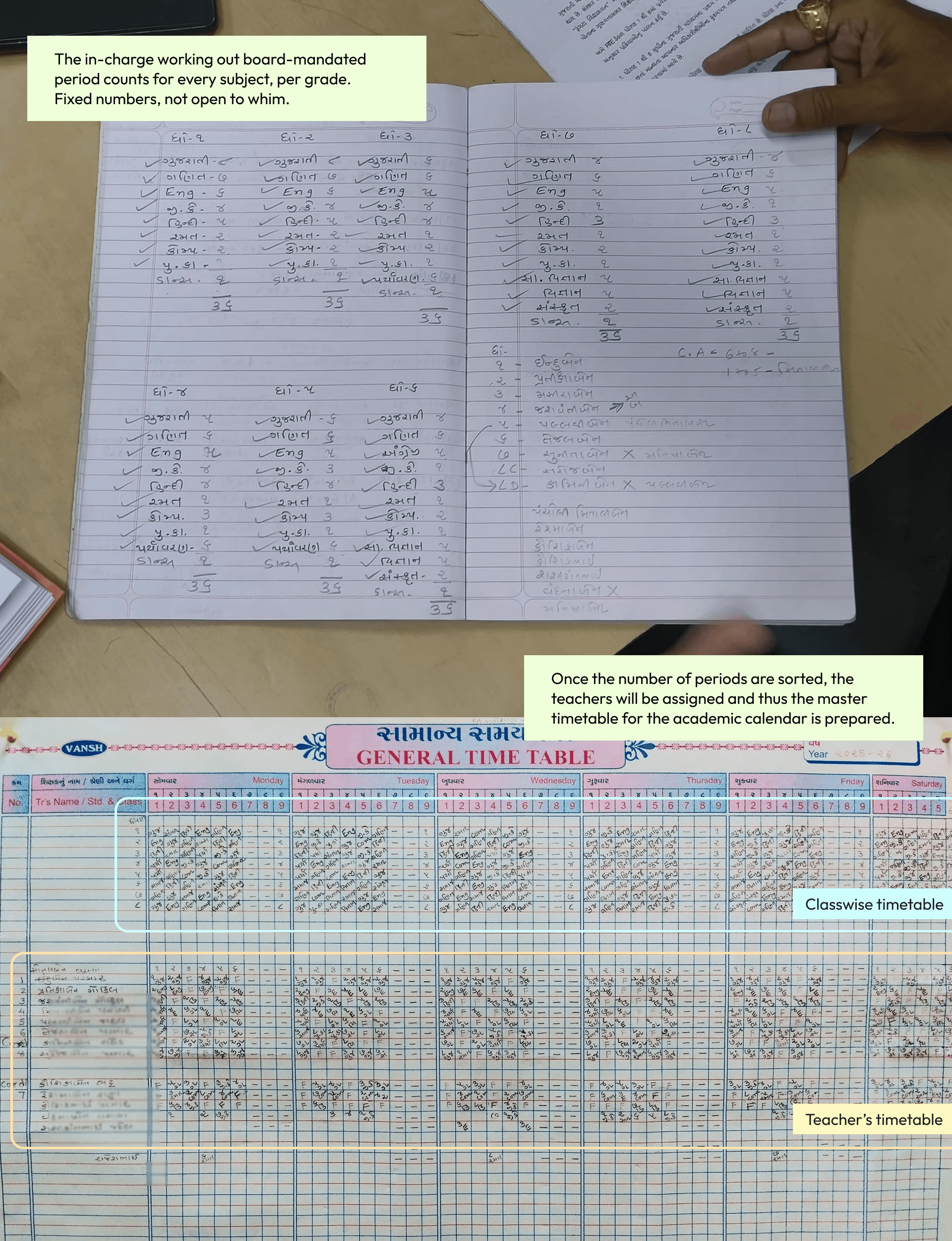
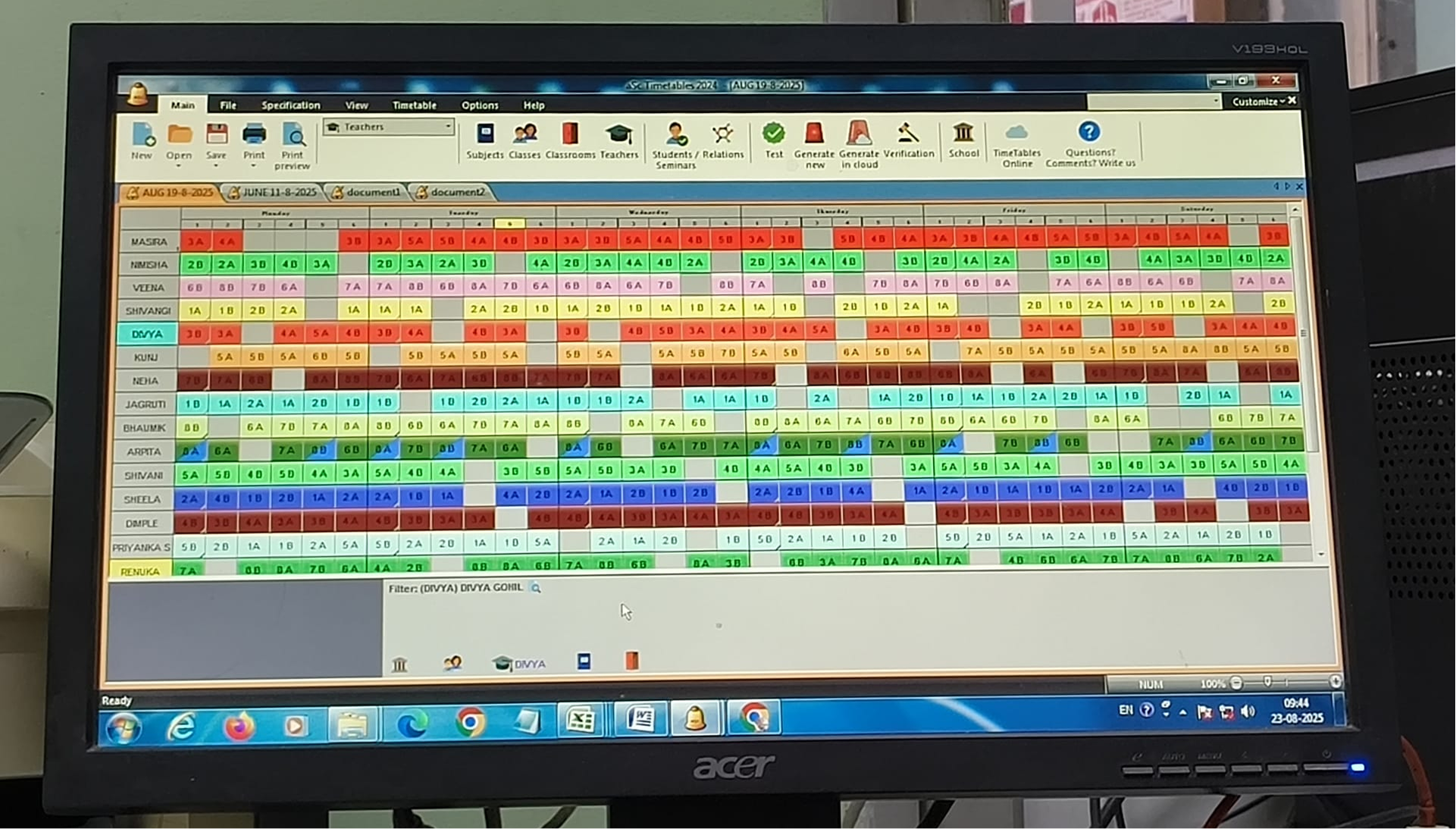
But not all schools are pencil & paper. Some schools still depend on outdated legacy software running on Windows 7. Since their license is tied to that specific copy, they’re wary of switching systems or even updating the OS.
Teachers kept personal timetables in surprisingly different ways. Familiarity with technology did not necessarily mean a preference for digital tools: printed and handwritten copies remained part of their daily routines.
The real problem was the gap in the timetable
After the interviews, we moved into interpretation, turning field data into actionable insights and design opportunities.
We organized observations in a shared spreadsheet and synthesized 18 data points into Flow, Physical, and Artifact models, each revealing a different layer of how work happened in practice.
Once these models were laid out, we brought everything together through affinity mapping, clustering the interpreted data points based on natural connections and shared meaning to let patterns emerge from the ground up.
Affinity mapping revealed a recurring pattern: the
Building a timetable is easy. What matters is making workload visible, encouraging shared responsibility, reducing mental overhead, and making digital tools simple enough to trust, while ensuring people’s effort is recognised, not just expected.
This became even clearer once we looked at timing. Timetable creation itself barely registers as a concern for teachers; it’s a
The real stress hits every morning at 7:30 AM, during substitution allotment. When a teacher calls in sick, the sudden scramble to find and convince someone to cover for them is the actual pain point.
“I don’t care if the semester grid takes two hours to generate once a year. I care that I have 10 minutes at 7:30 AM to find someone to cover 7th-grade math so 40 kids aren’t left unsupervised.”
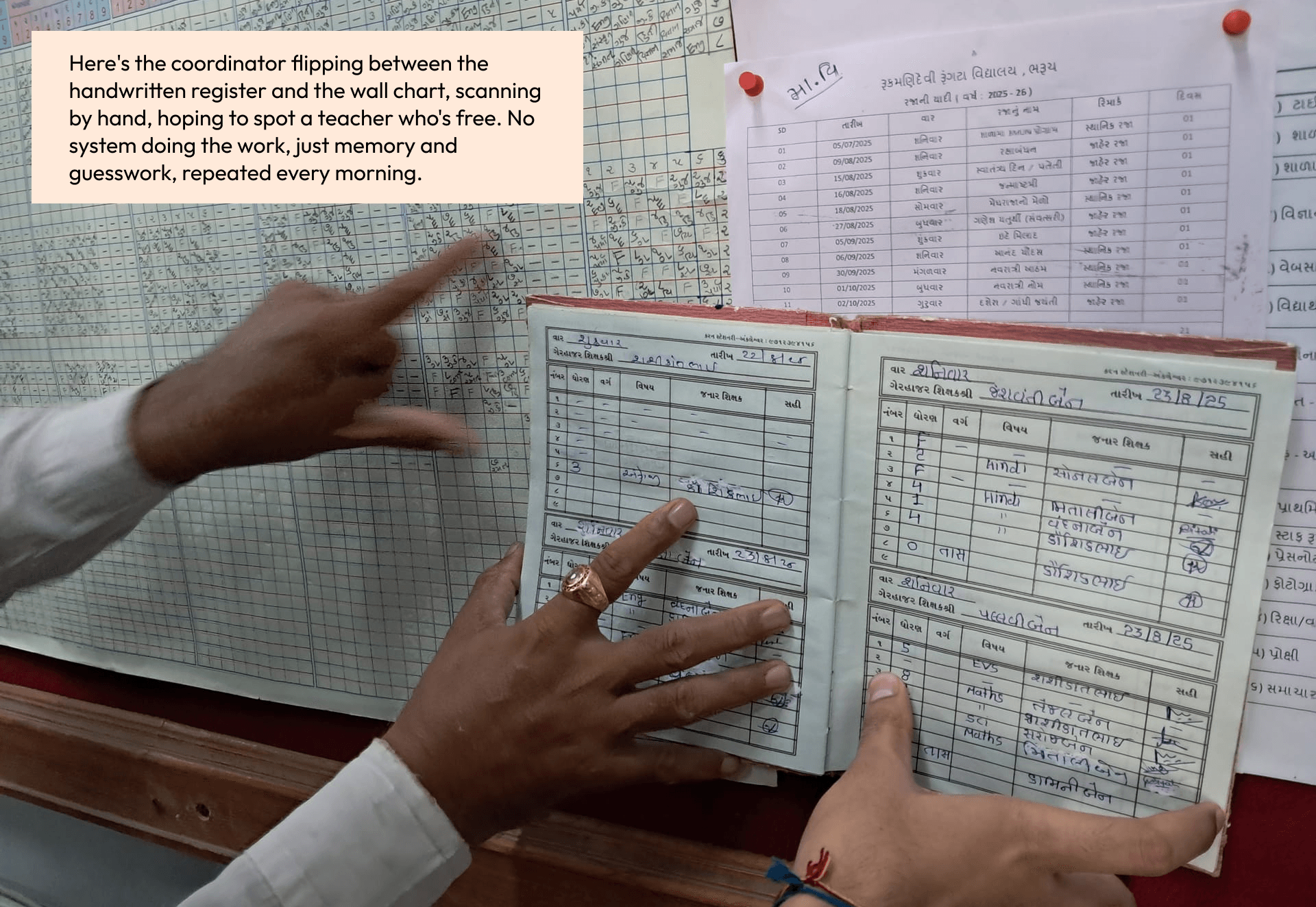
Design an automated system for timetable coordinator, that can easily create and update timetables . The system must have low latency to communicate any changes and support asynchronous communication between the teacher and timetable-in-charge.
There are two kinds of people affected in this current system:
Designing for Both Worlds
We designed
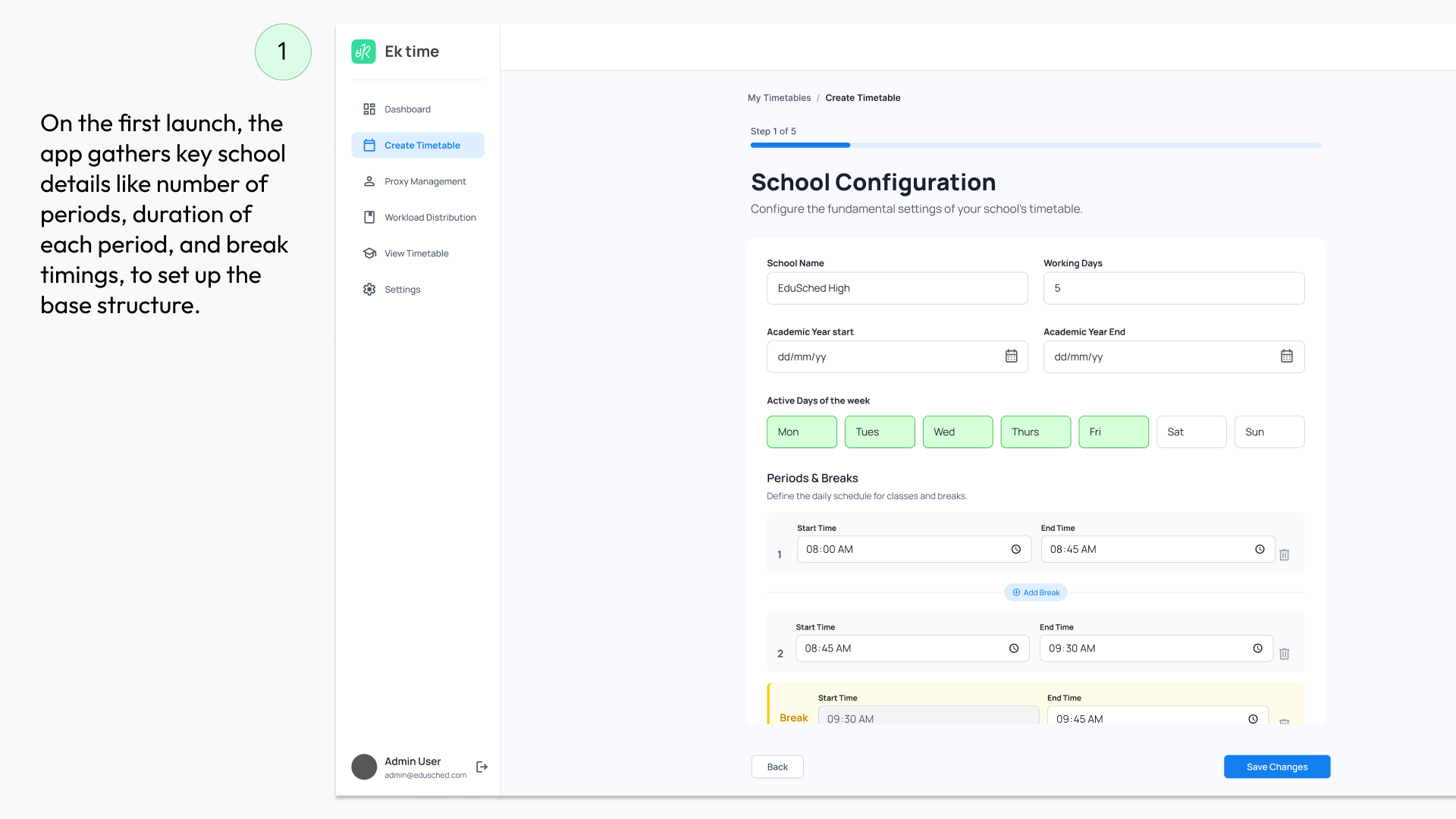
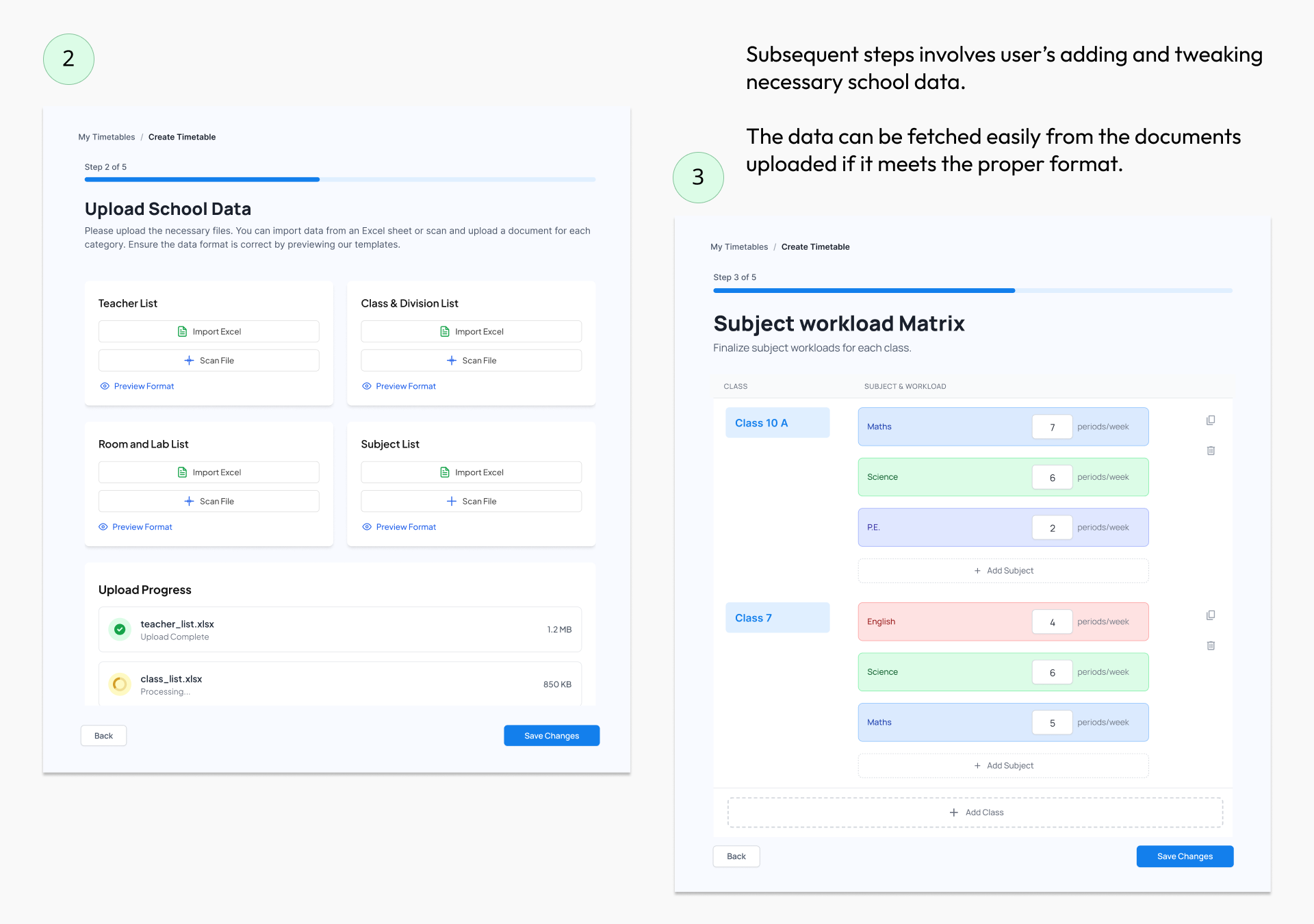
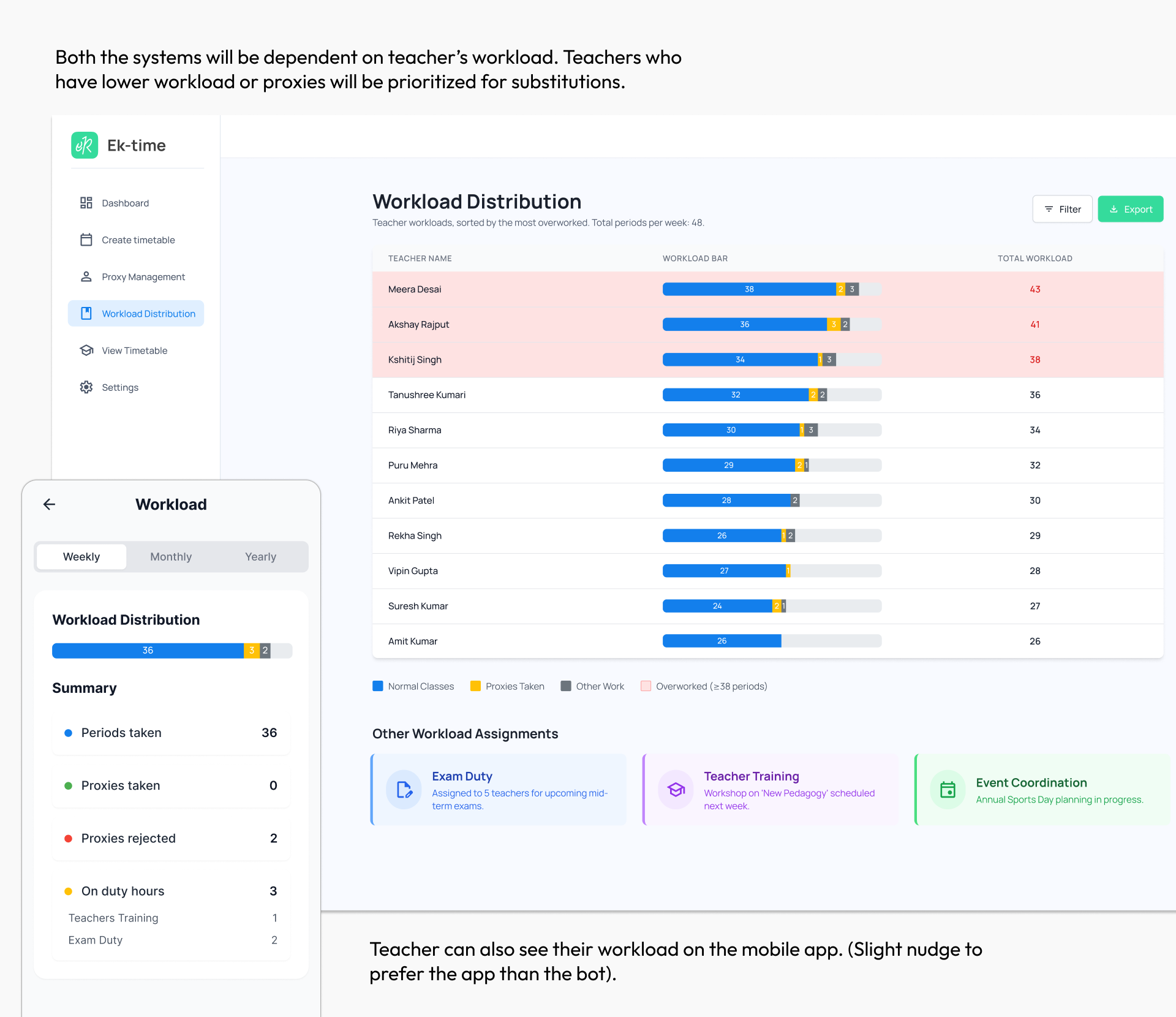
Web App (For Coordinators): A desktop dashboard for setting up master timetable rules, reviewing leave requests, and dispatching proxy assignments.
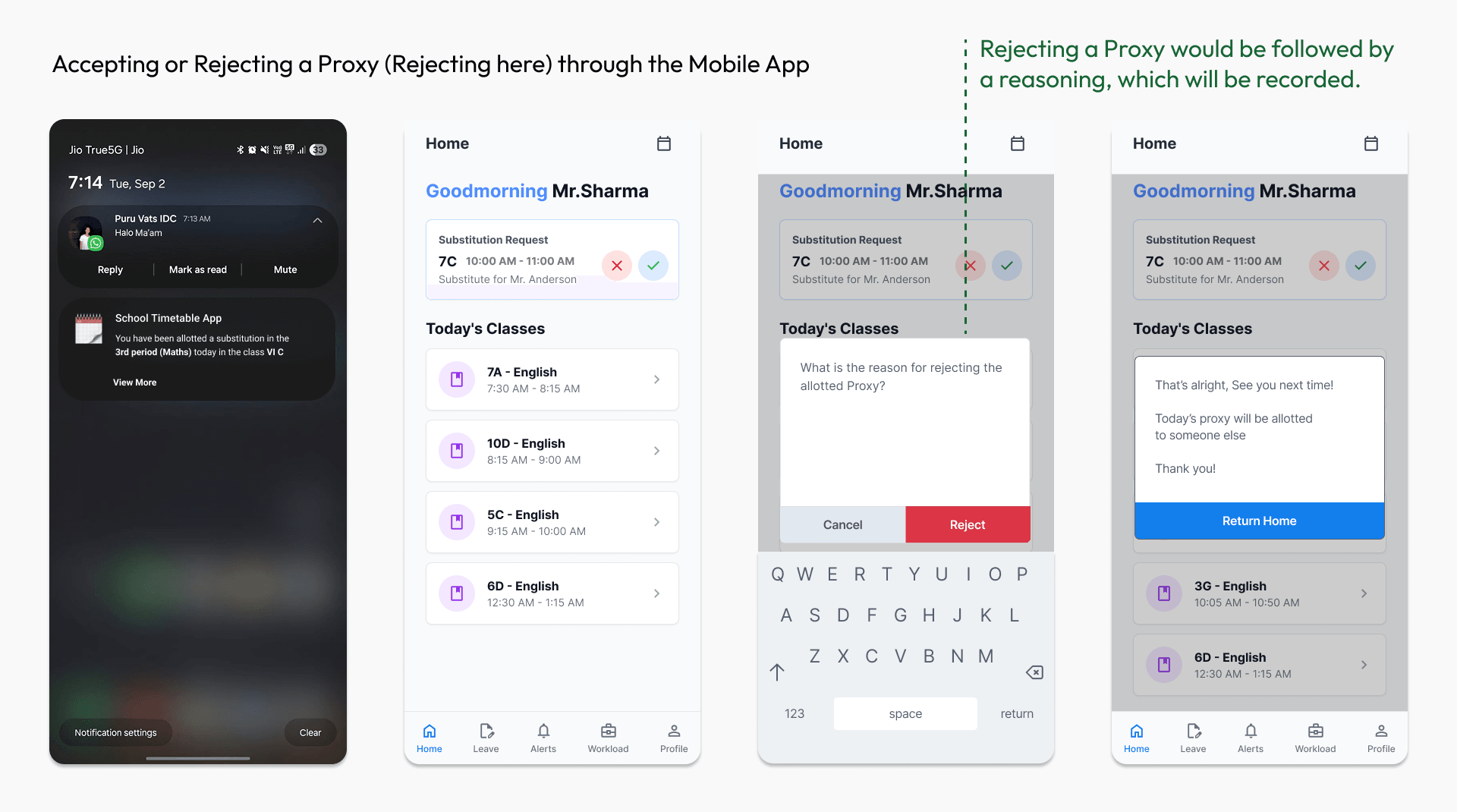
Mobile App (For Teachers): A daily schedule viewer where teachers track their timetable, view incoming substitution requests, and submit leave applications.
WhatsApp Bot (Low-Barrier Edge): A secondary chatbot interface routing proxy alerts directly to WhatsApp for instant 1-tap accept/reject responses.
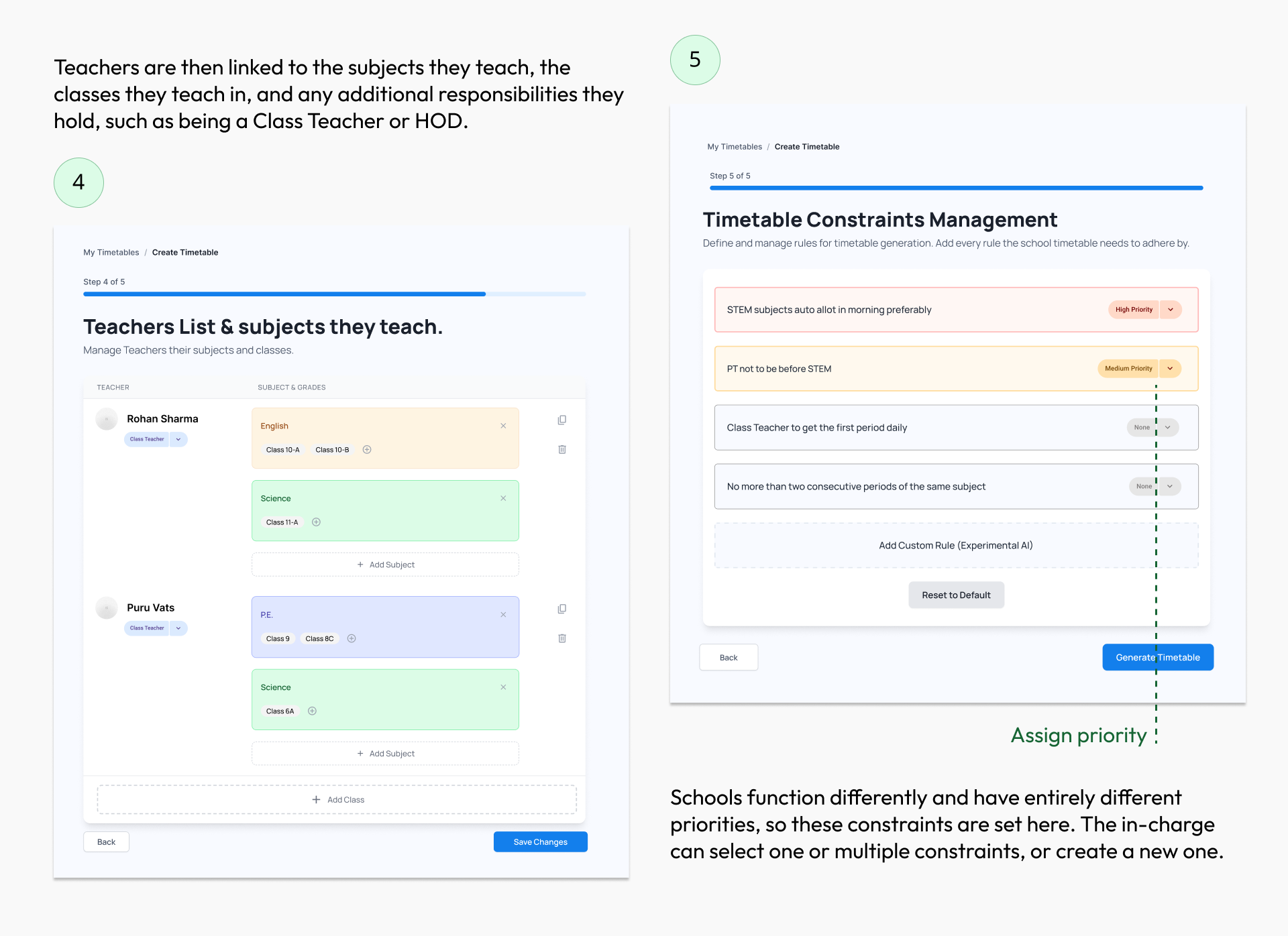
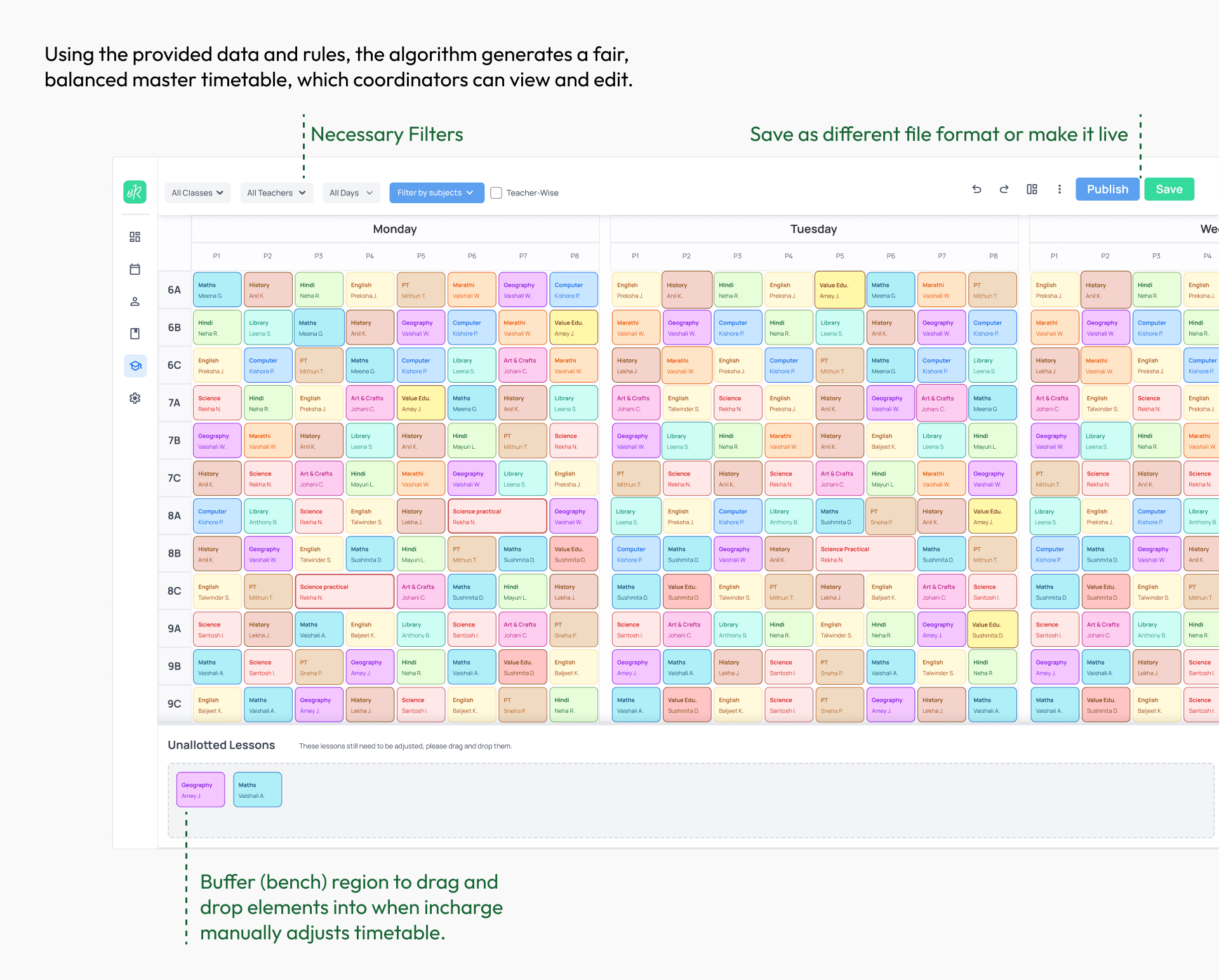
Proxy Management System
After the timetable is created, coordinators still need to arrange daily substitutions. The same tool supports both tasks, keeping schedules and proxy assignments together.
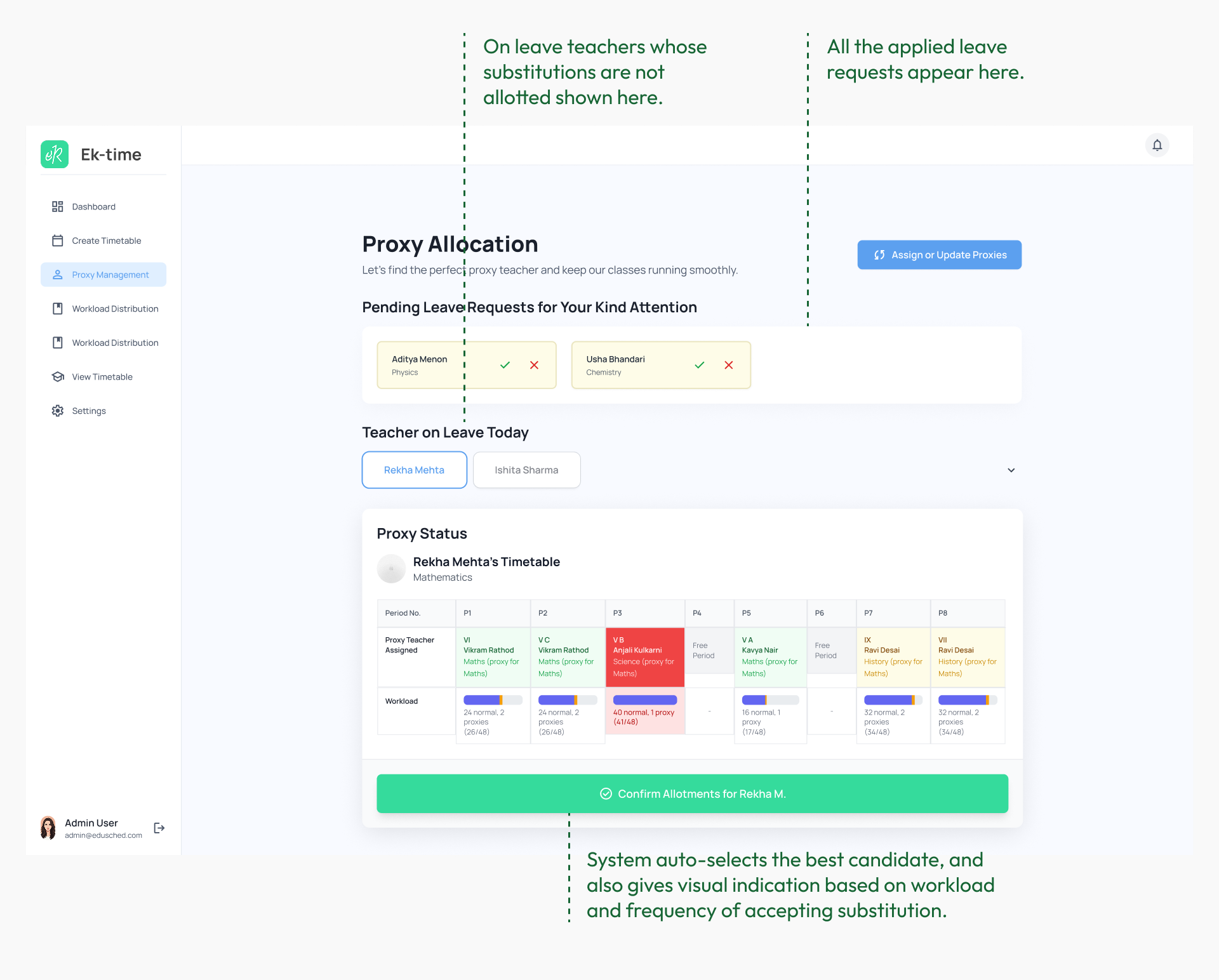
Testing, Feedback & Learnings
The screens shown above are the final designs, refined after usability testing.
Once the initial prototype was created, we tested it using a
The project also reinforced the value of contextual inquiry.
Teachers’ hidden workload was not only administrative, but also emotional and cognitive, shaped by constant coordination, last-minute changes, and informal workarounds. Observing these behaviours in context revealed gaps and pressures that would have been difficult to uncover through surveys alone.