Redesigning Gemini around navigation, image editing, and voice feedback
This project was developed as part of a Design Evaluation course led by Wricha Mishra and Vidhya Appu at IDC, IIT Bombay.
We combined task analysis, usability evaluation, and participant feedback to identify friction in Gemini’s mobile experience and propose interface improvements.
Akshay R Nair
Megh Malika Bora
Swapnanil Das
The Bottleneck: Powerful Models Trapped Behind Opaque States
Google Gemini brings heavy multimodal intelligence to mobile, but the app itself often gets in the way. During everyday interactions, users struggle with basic conversational rhythms: they cannot easily tell when the app is listening or speaking, voice input cuts them off mid-sentence, and routine tasks run into dead ends.
Our goal was to evaluate where the mobile experience breaks down across efficiency, learnability, and user trust, and redesign the interface so users always feel in control.
This study evaluates the November 2025 version of Gemini (Gemini 2.5). The findings and redesign proposals refer to that version.
Deconstructing Every Move: Mapping the Task Hierarchy
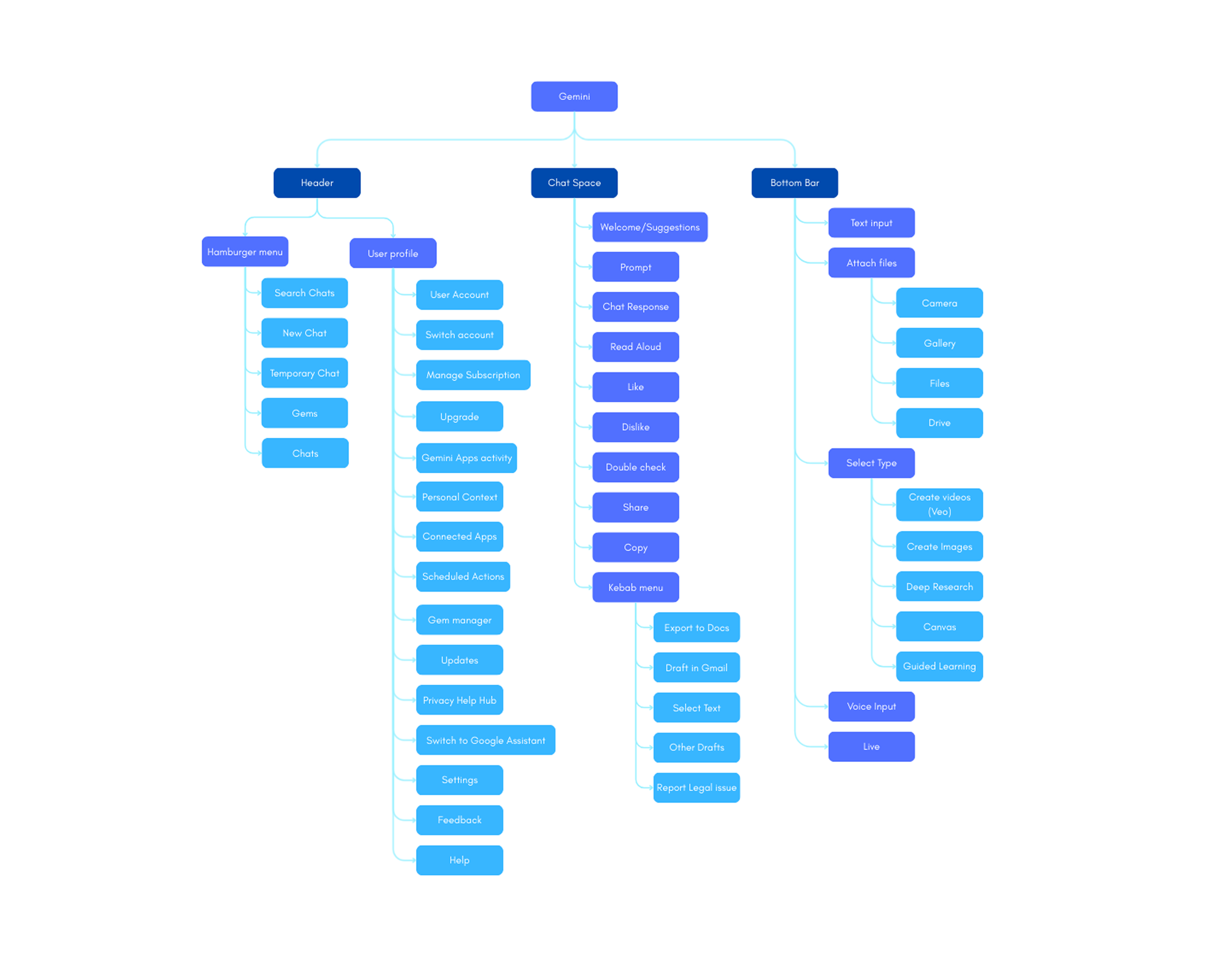
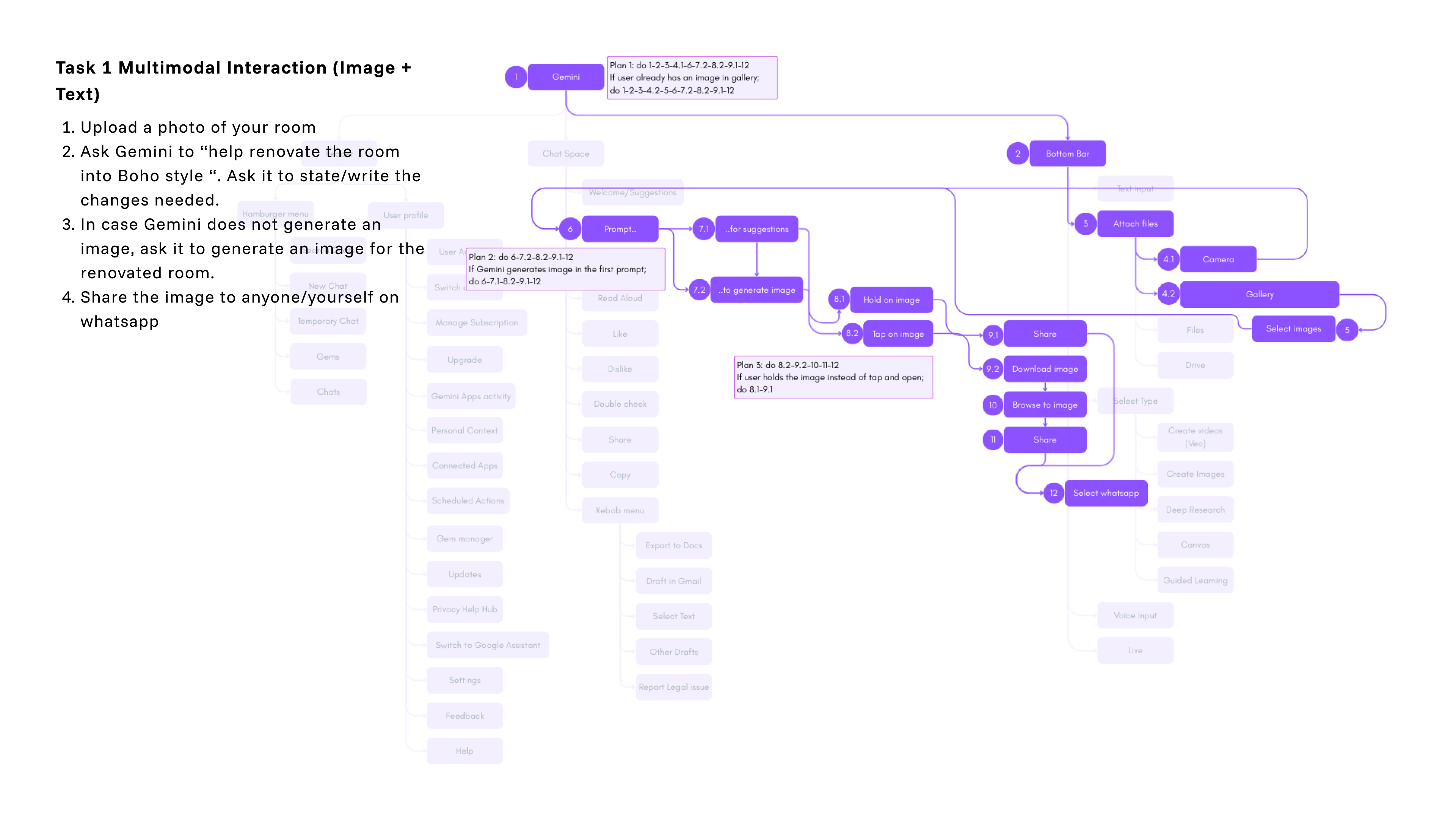
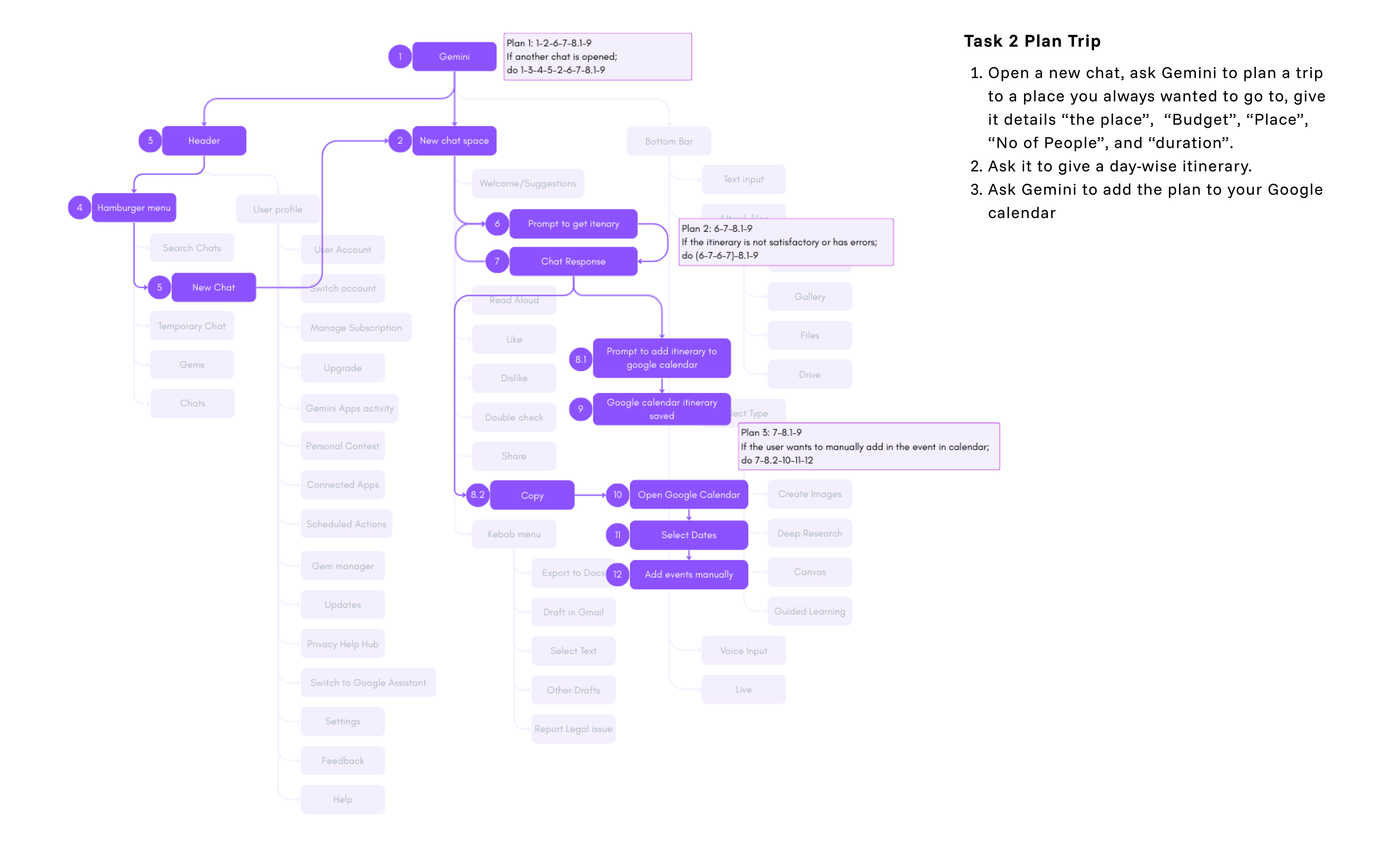
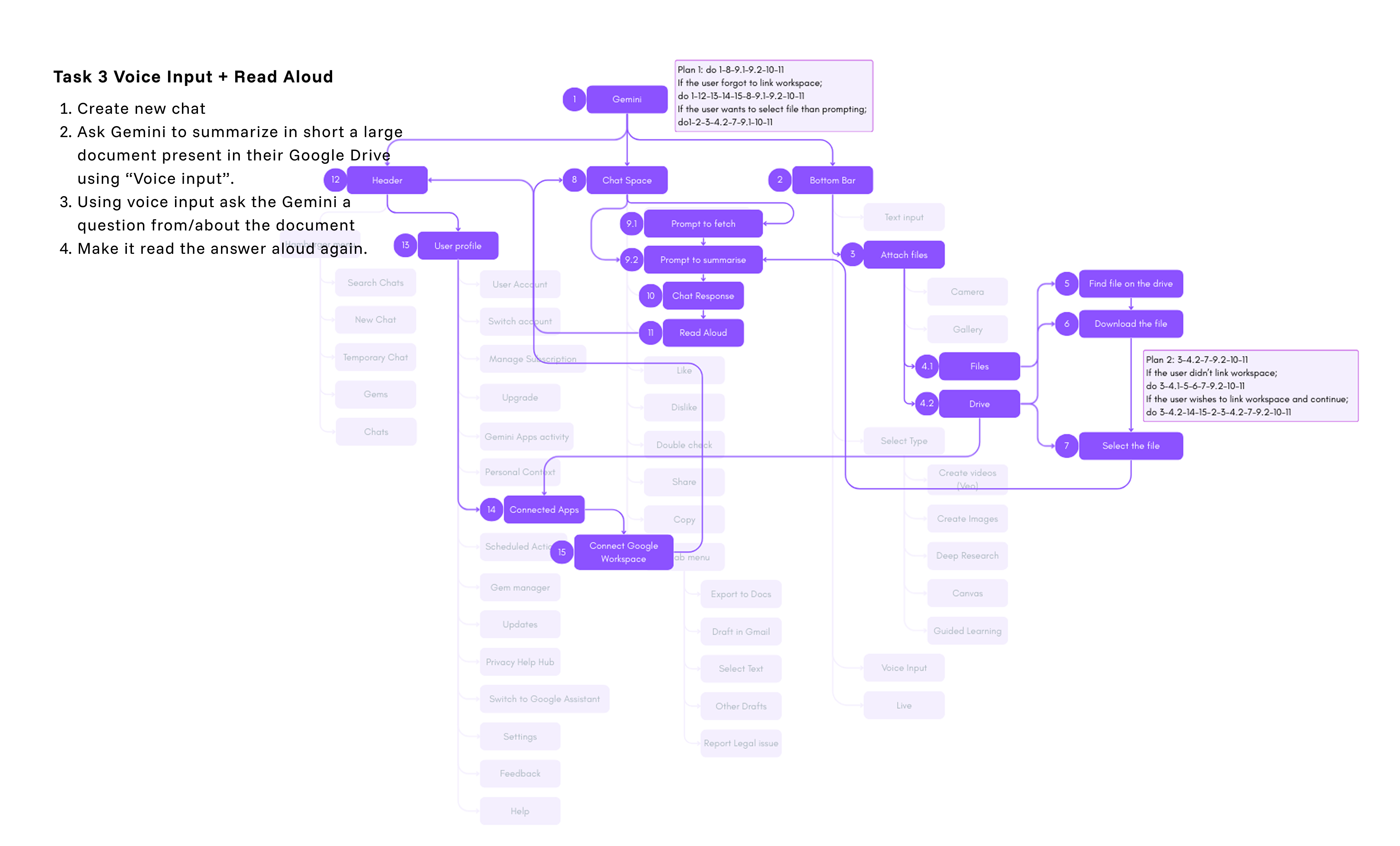
We started by mapping Gemini’s Information Architecture to understand how its features are organized and where users run into roadblocks.
Because it is a conversational interface rather than a traditional app, we mapped the IA spatially across different areas of the screen instead of using a standard primary-to-secondary menu tree.
How Simple Tasks Splinter Across the Screen
Mapping participants' actual navigation paths directly over Gemini's spatial layout revealed severe structural fragmentation:
- Spatial Friction Across Zones: Simple goals forced users to jump unpredictably between the bottom input bar, the live chat response, and buried settings (like user profile and connected apps) just to complete one workflow.
- The Vulnerability Points: Mapping these paths exposed exactly where the interface broke down: moments where missing system feedback left users stranded midway through a plan.
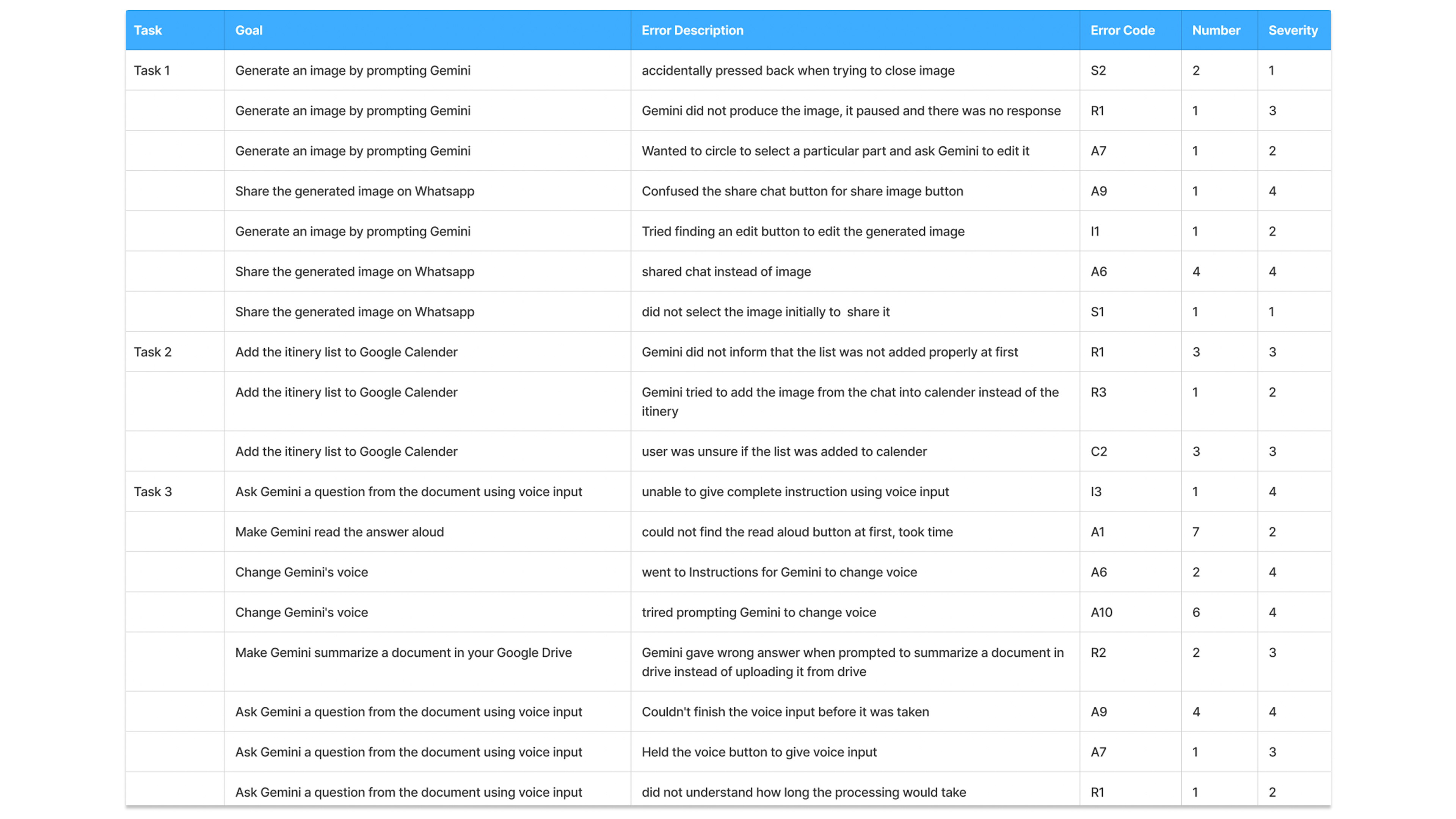
- Parallel Execution Plans: Routine actions rarely had a single path. In Task 3 (Voice & Docs), summarizing a Drive file splintered into multiple sub-plans depending on whether the user linked Google Workspace beforehand, selected the file first, or prompted the model first.
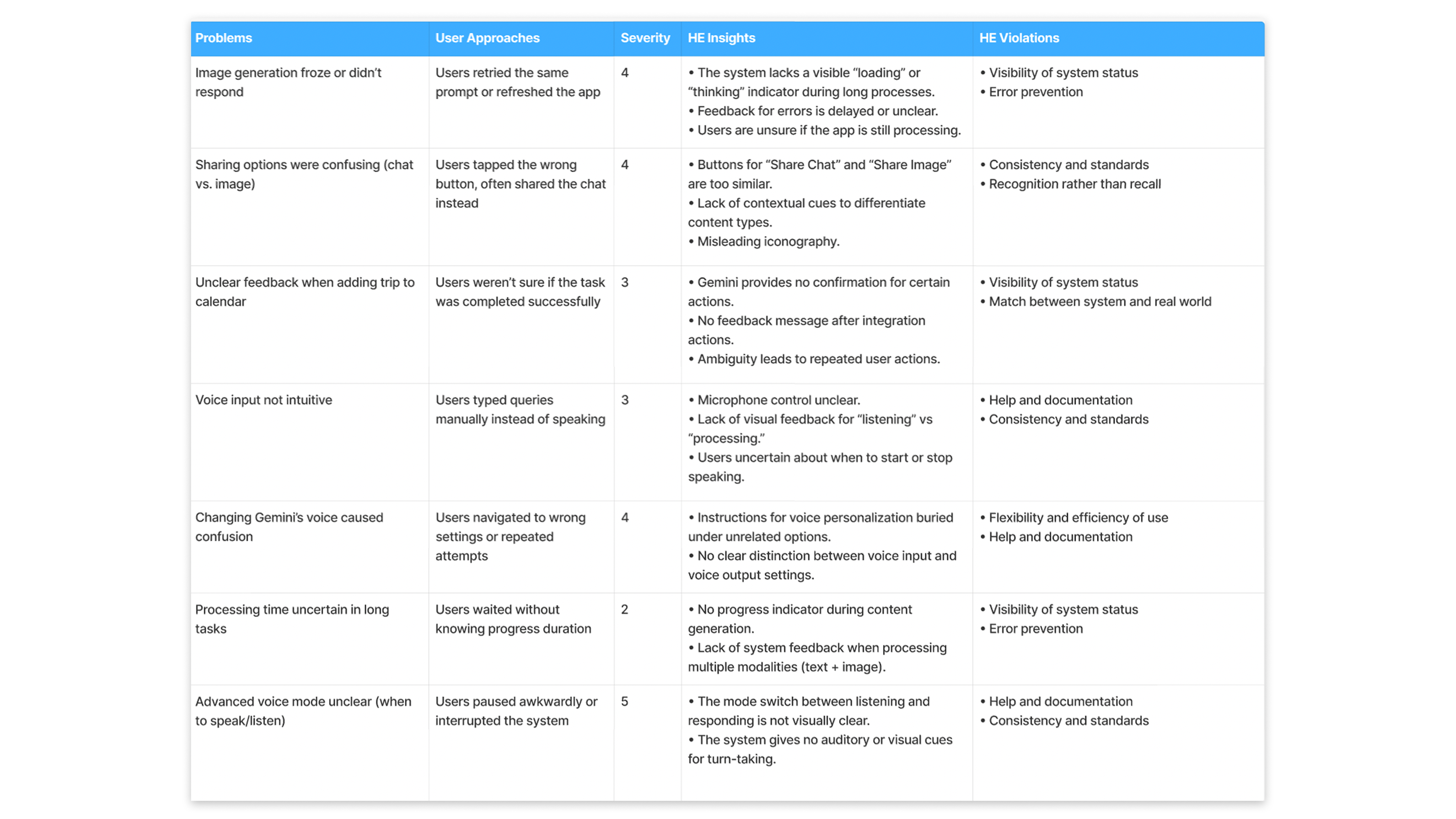
To systematically predict how these broken branches would trigger actual user mistakes, we ran every step of the task tree through SHERPA (Systematic Human Error Reduction and Prediction Approach).
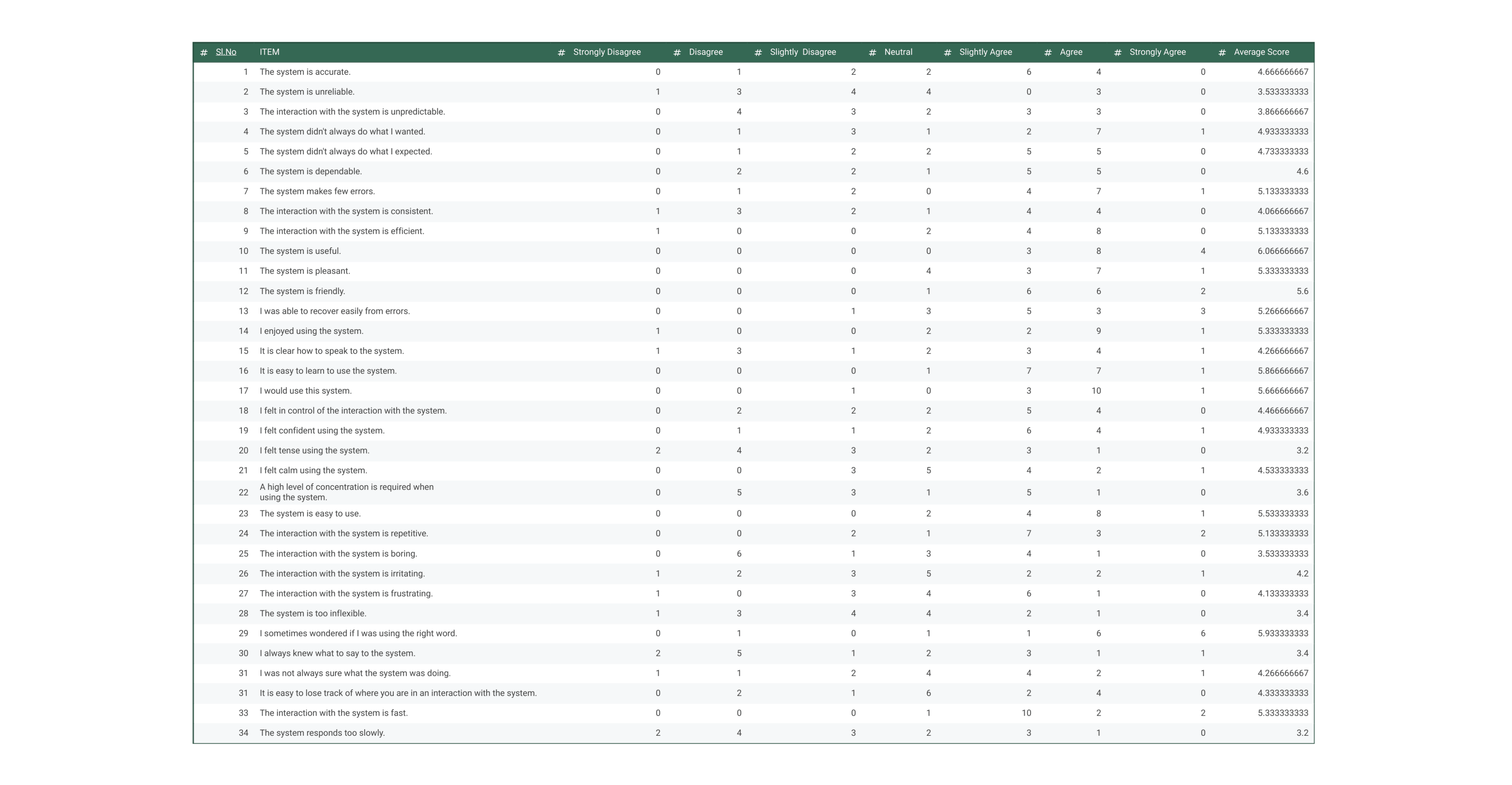
Following the task interviews, we administered the SASSI (Subjective Assessment of Speech System Interfaces) exit questionnaire to measure how people actually felt using the system.
What Users Felt: Post-Test SASSI & Metrics
Following the task interviews, we administered the SASSI (Subjective Assessment of Speech System Interfaces) exit questionnaire alongside HEART metrics to measure how people actually felt using the system:
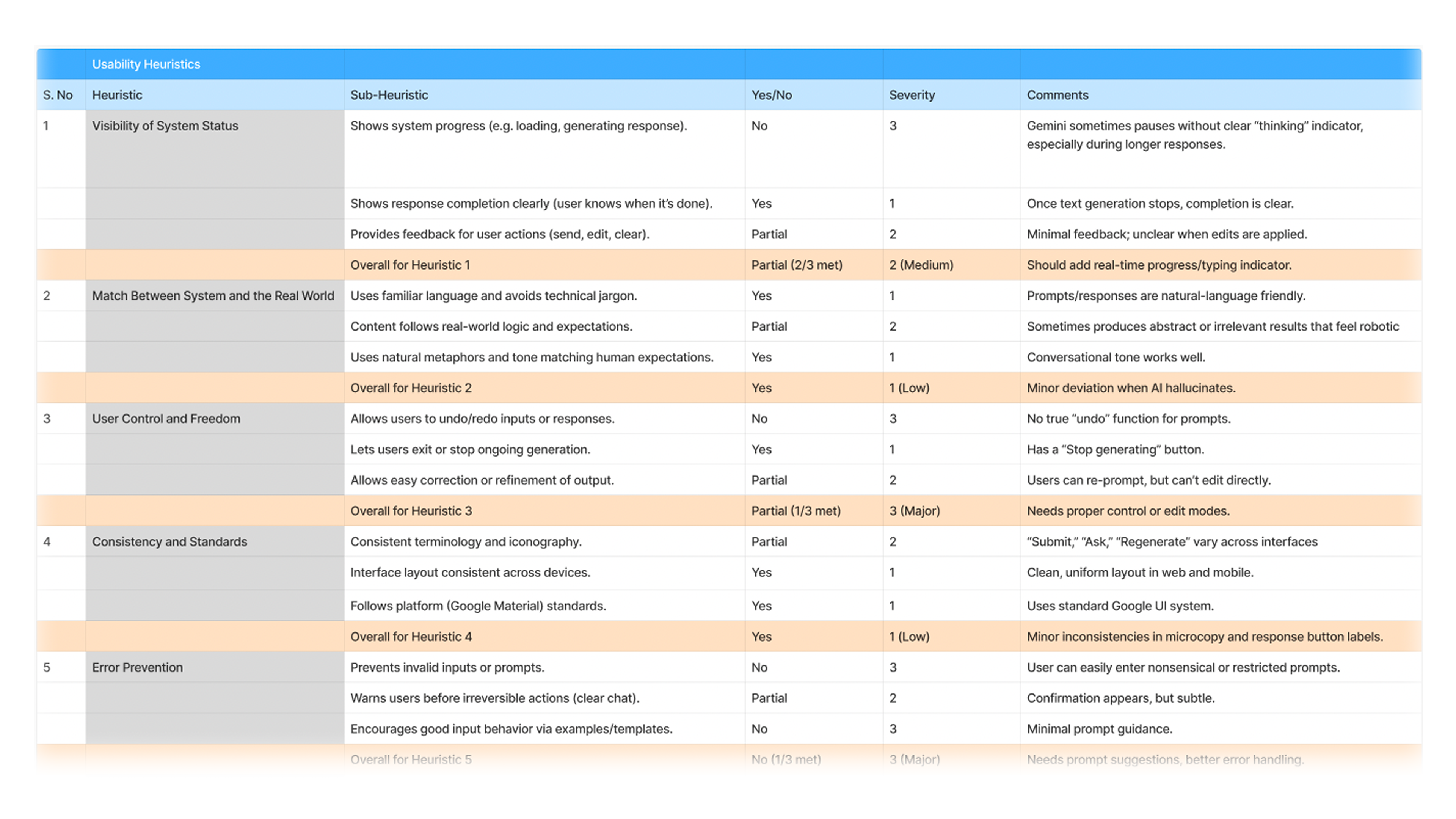
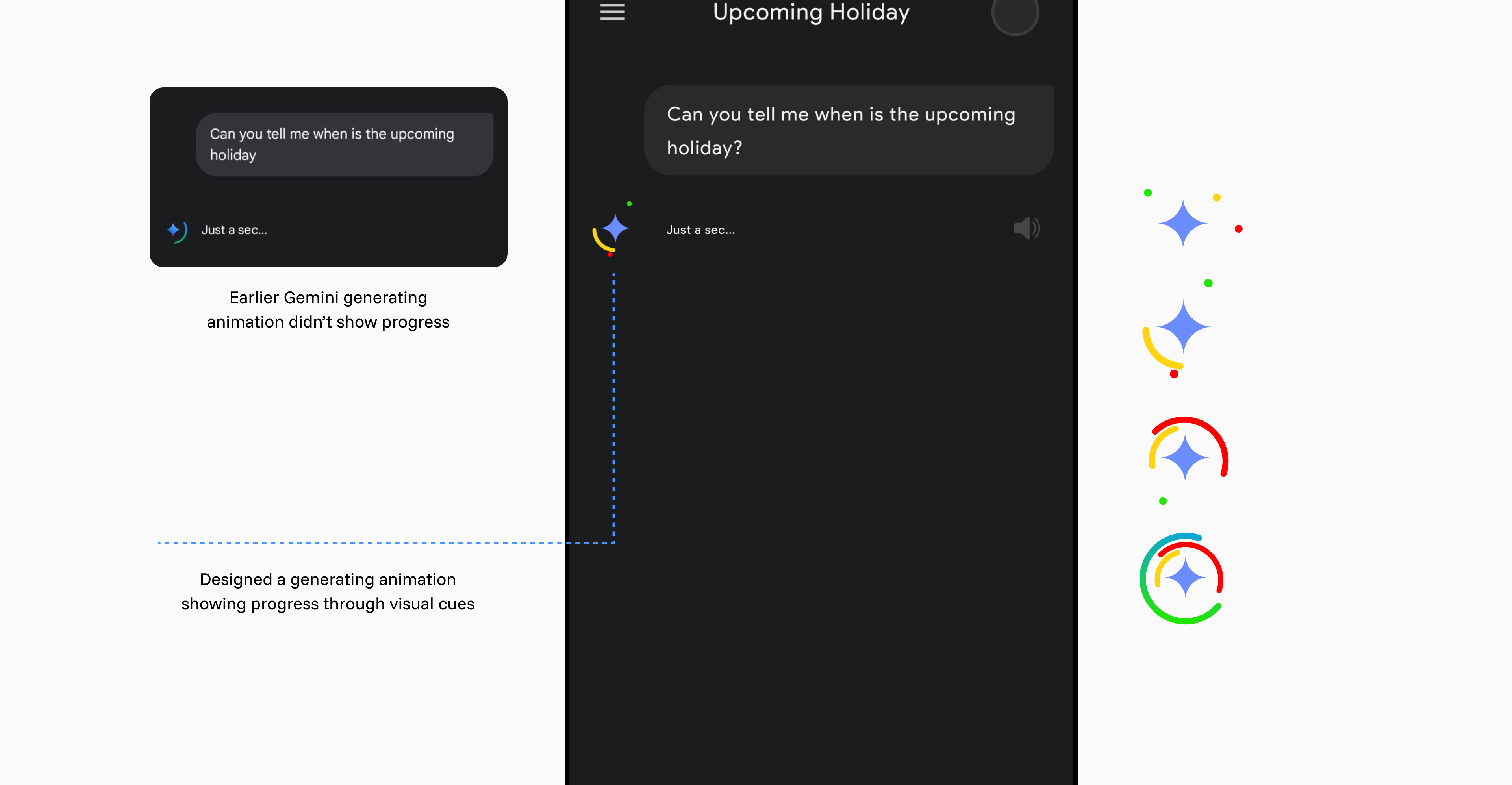
Speed & Latency Drag: While overall efficiency sat at 83.64% (~3.92 minutes per goal), users felt the app was sluggish due to looping, static loading indicators during long inferences.
Turn-Taking Confusion: Users consistently gave low clarity ratings because the app failed to show whether speech was registering or what next steps were possible.
Error Recovery Breakdown: Recovering from dropped prompts or misheard words was a primary source of frustration, dragging speech system flexibility scores down.
Retention Drop-off: General usefulness was rated high (4.7/5), but retention slumped to 3.8/7 on SASSI, driven down by unpredictable delays and poor feature findability (3.5/5).
Clearer Navigation and Contextual Actions
Many useful features were difficult to find. We reorganised the information architecture to make relevant actions easier to reach in the context of a conversation.
We brought frequently used controls forward and reduced the prominence of secondary actions.
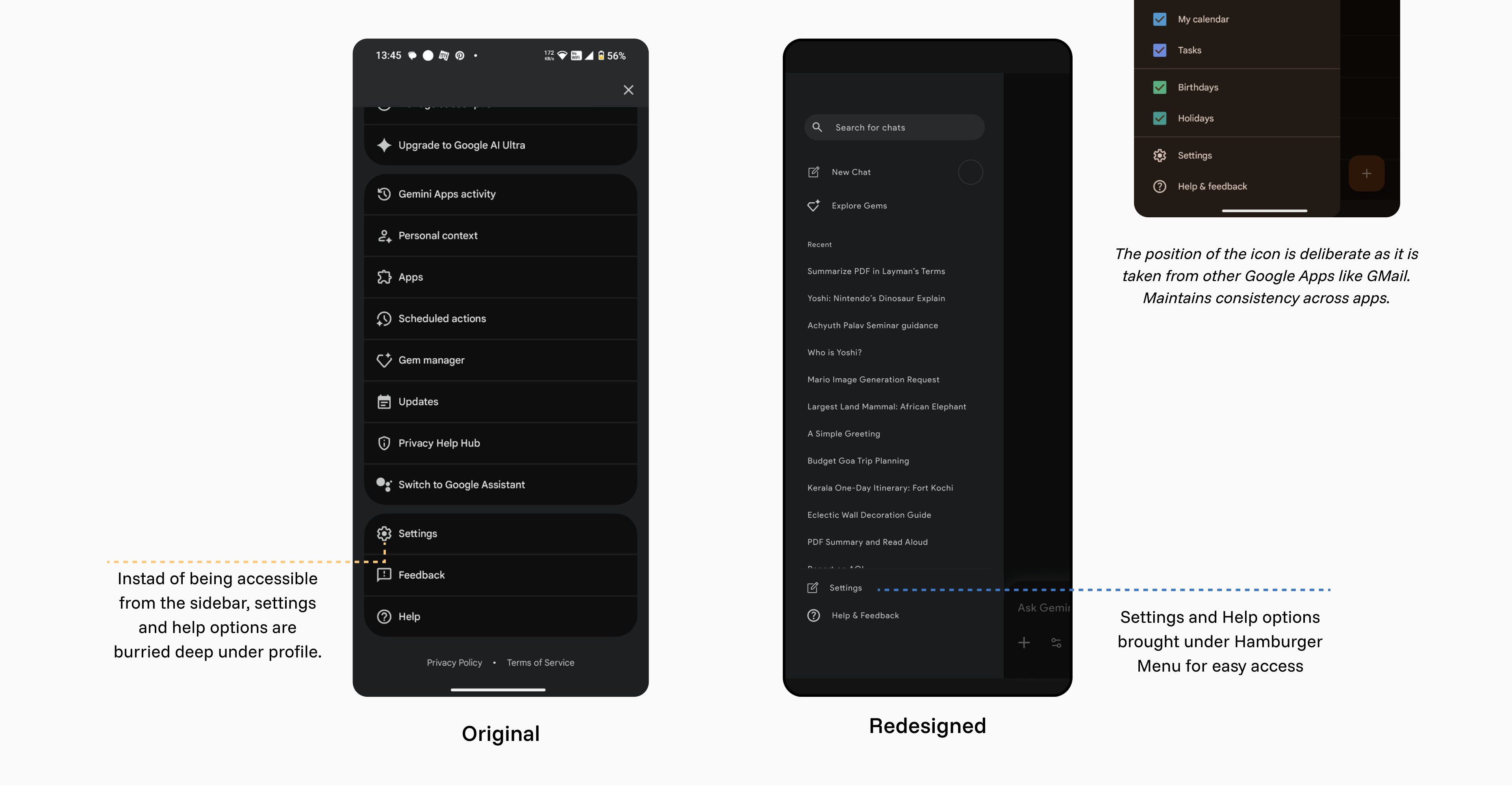
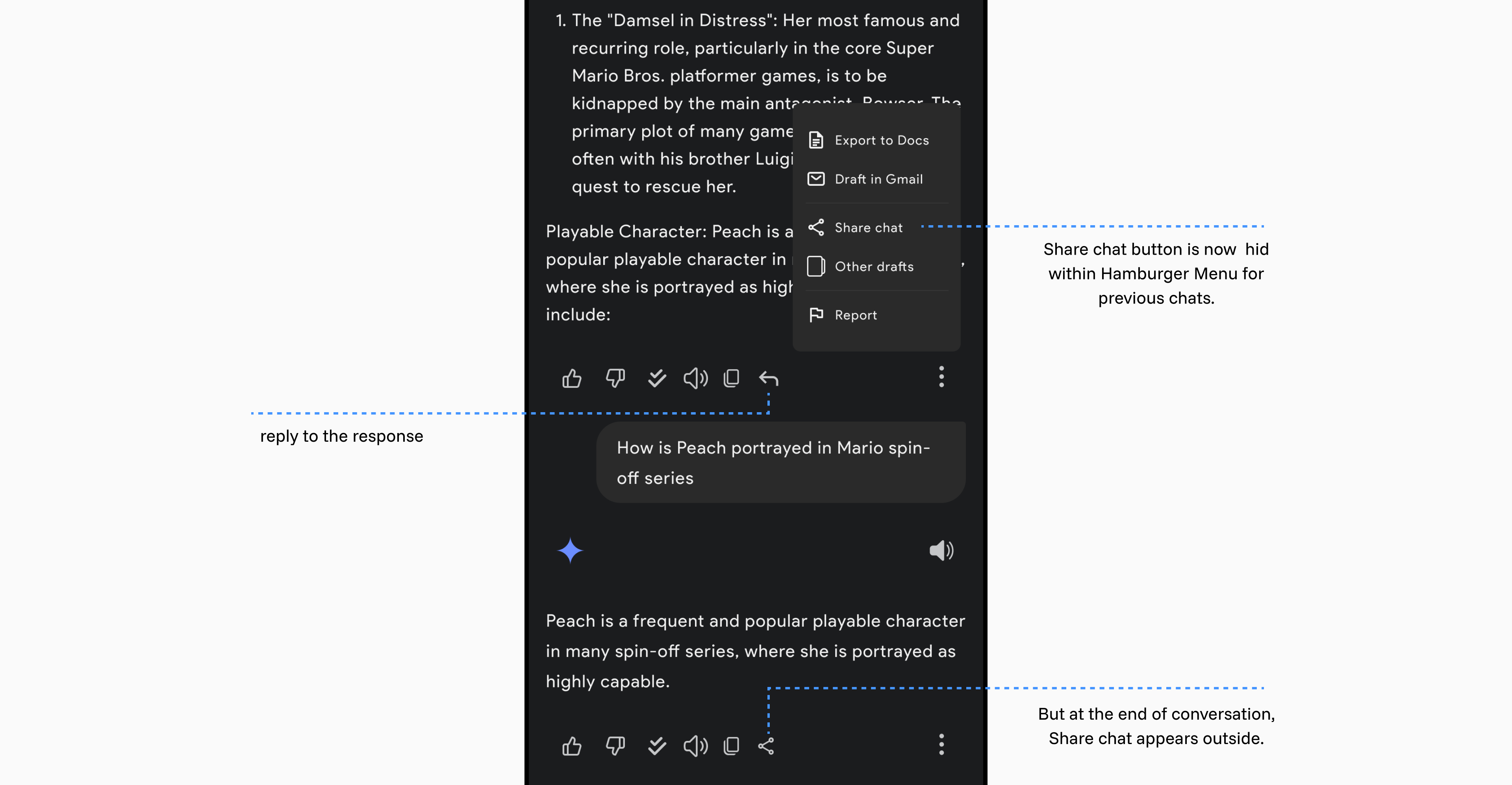
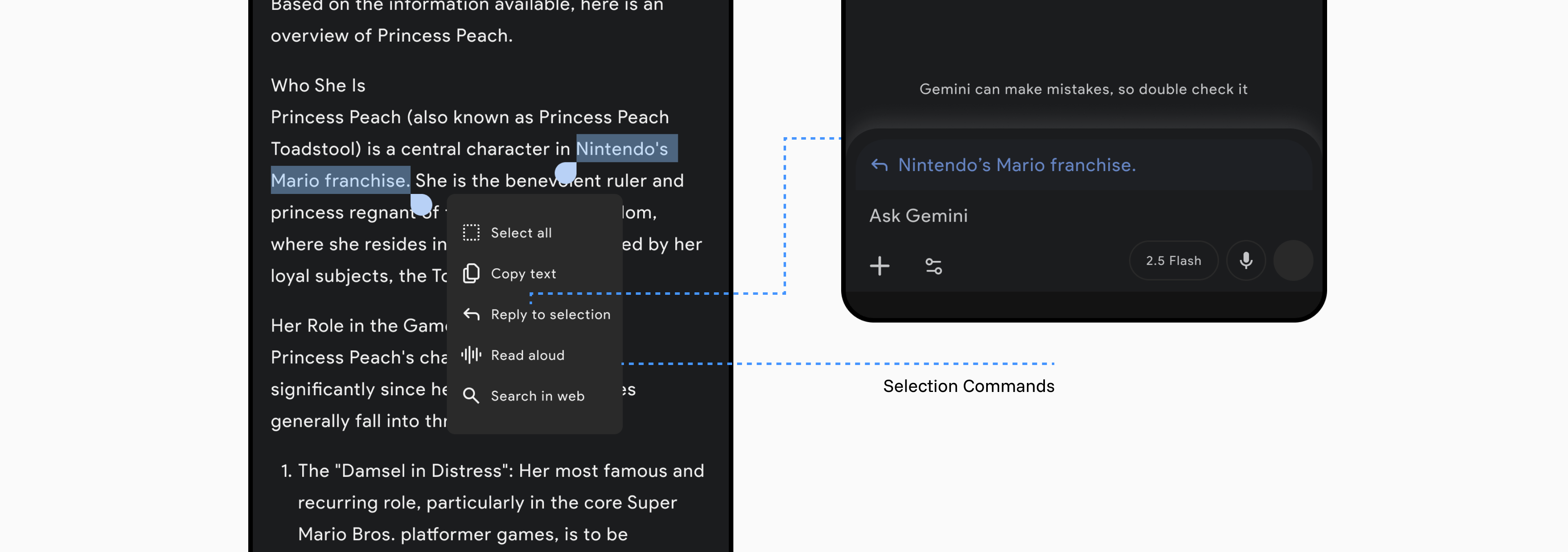
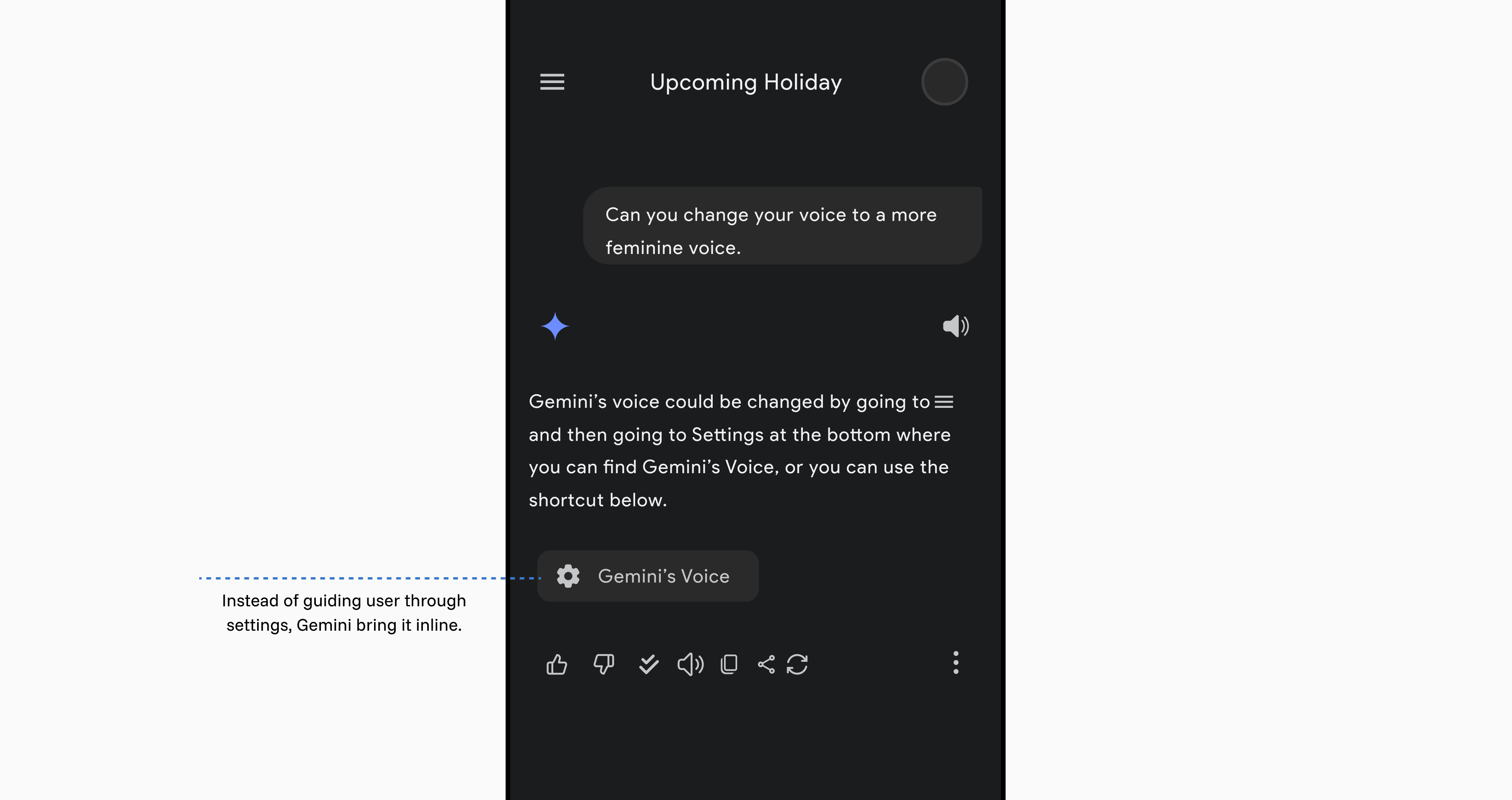
Image Generation UX Tweaks
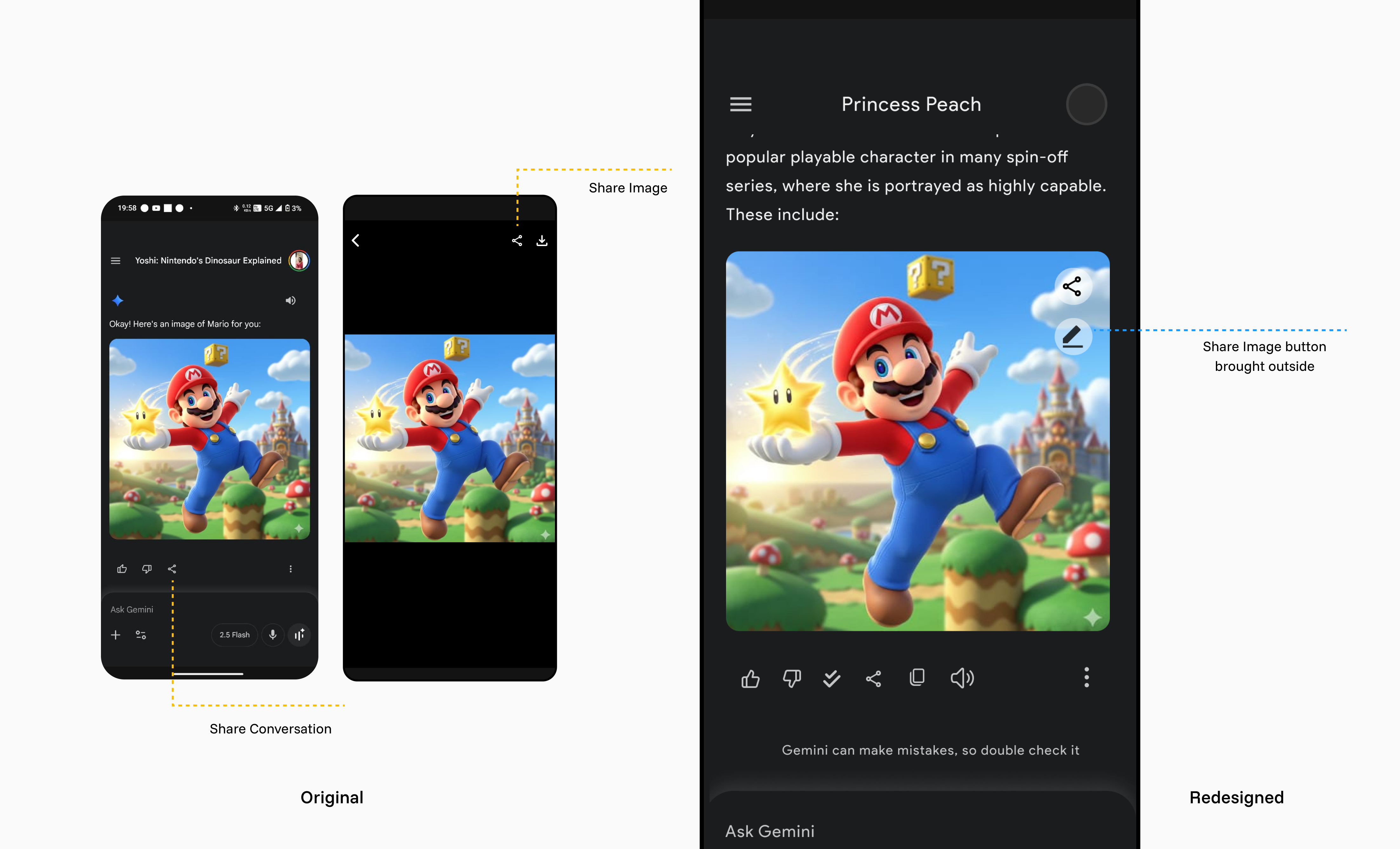
Participants often selected “share chat” when they wanted to share a generated image. The image-sharing control was hidden inside the preview, so we moved it onto the image card.
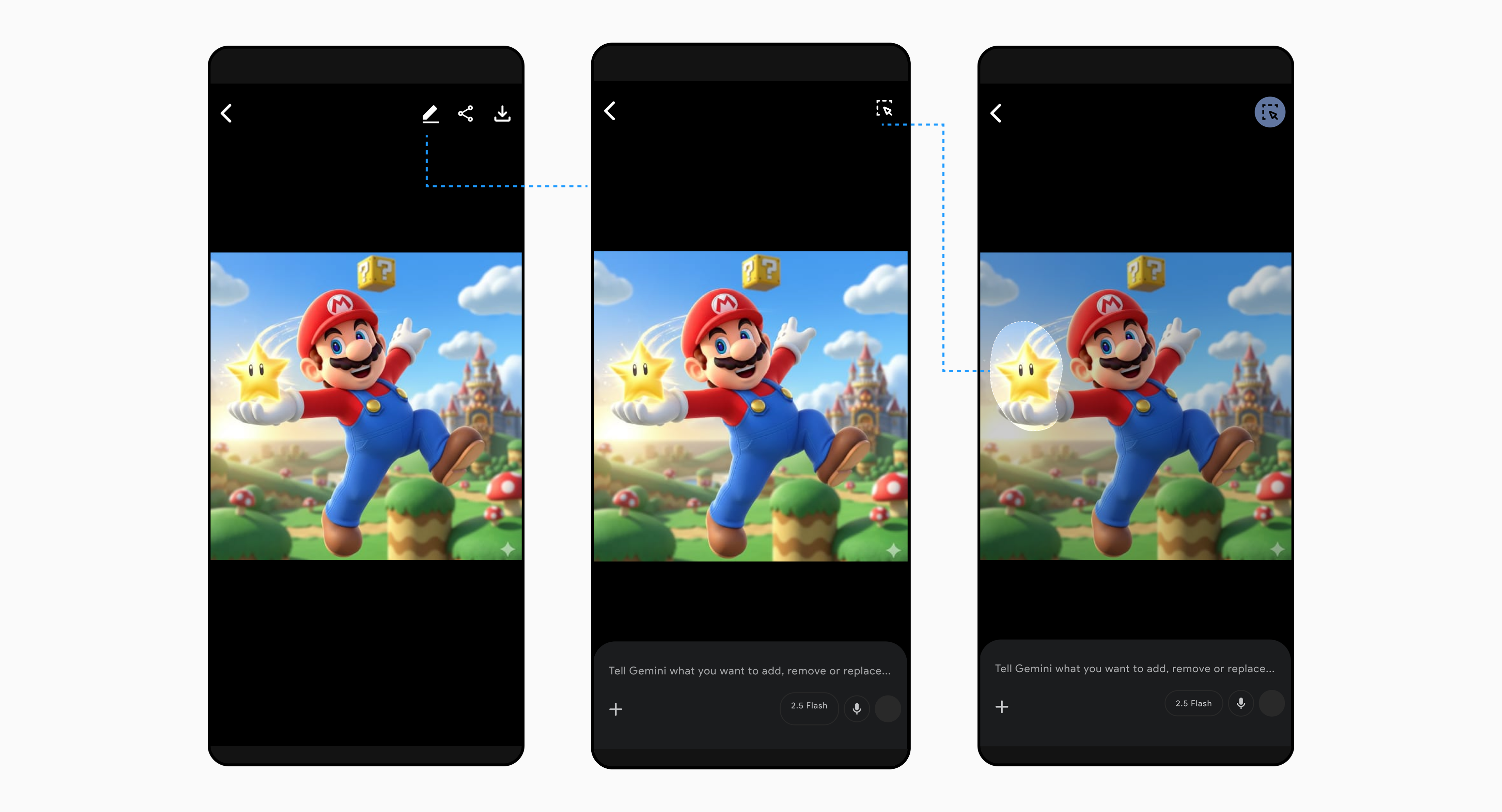
We also proposed selection-based editing, allowing users to highlight a region and describe the change they wanted to make.
Gemini Voice Interface Redesign
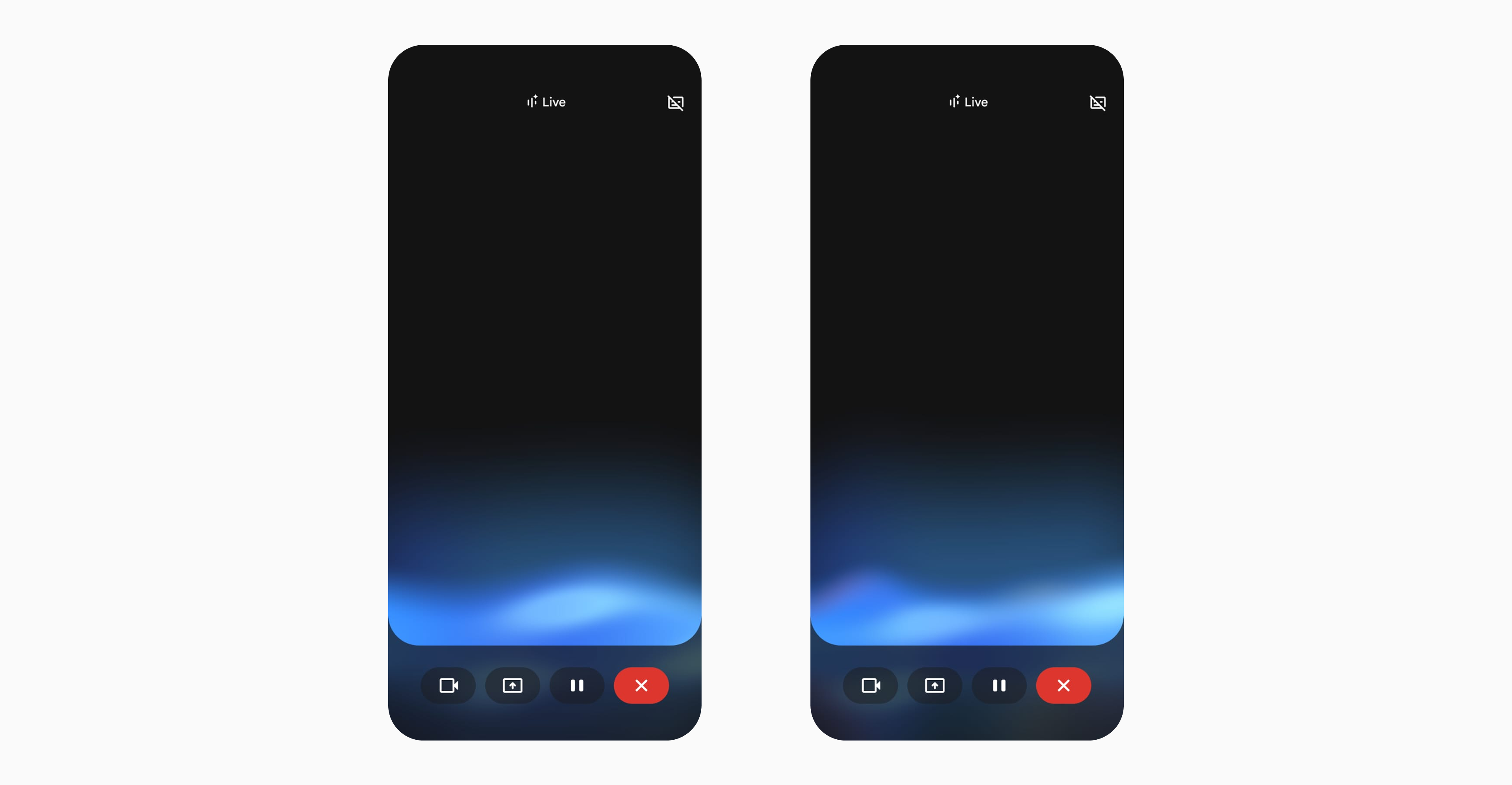
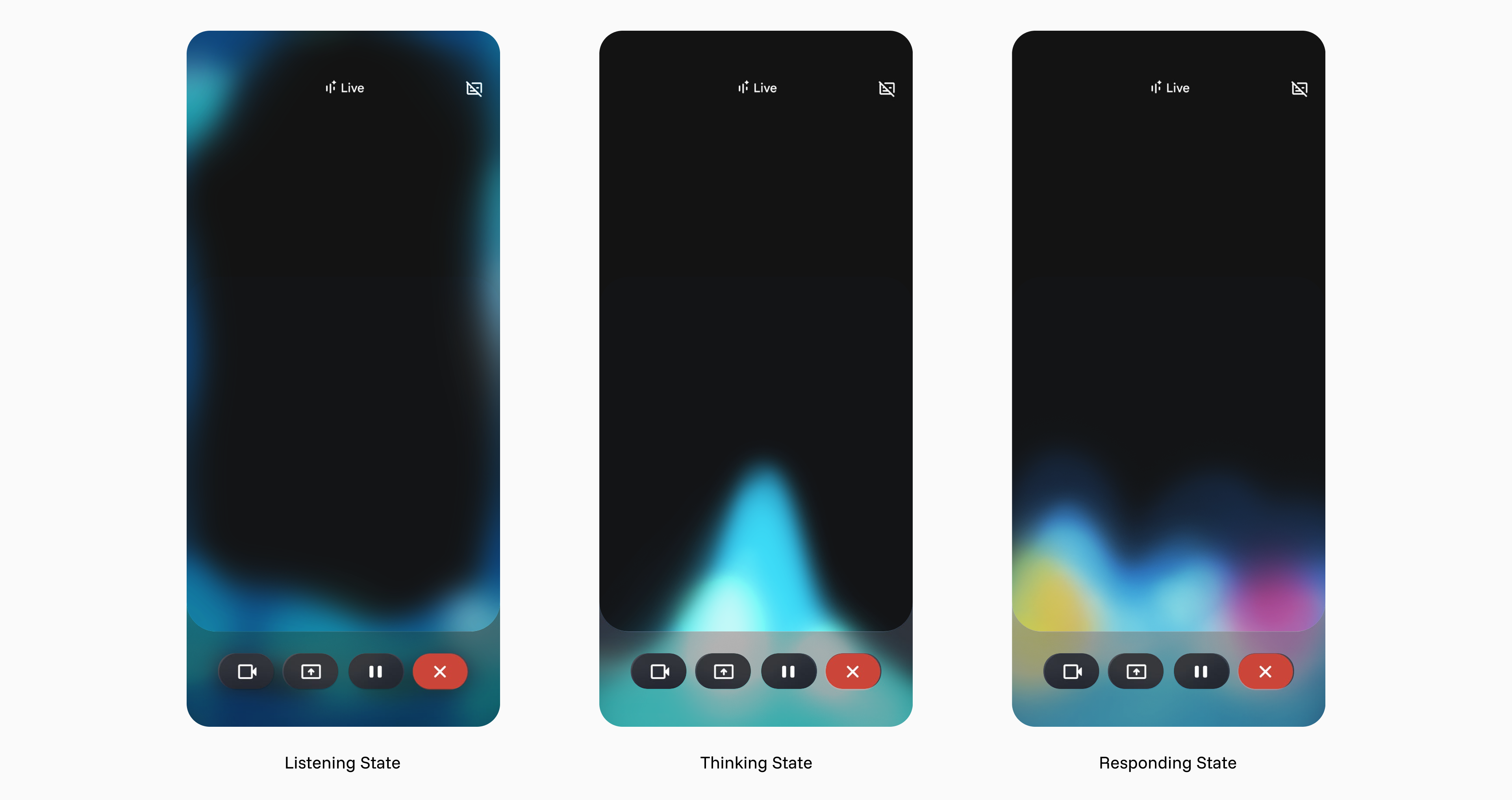
The listening and speaking states looked nearly identical. Participants had to double-check whether the system was ready for input, sometimes interrupting it mid-conversation.
We gave listening, processing, and speaking distinct visual states so users could tell what the system was doing.
Quality of Life Improvements
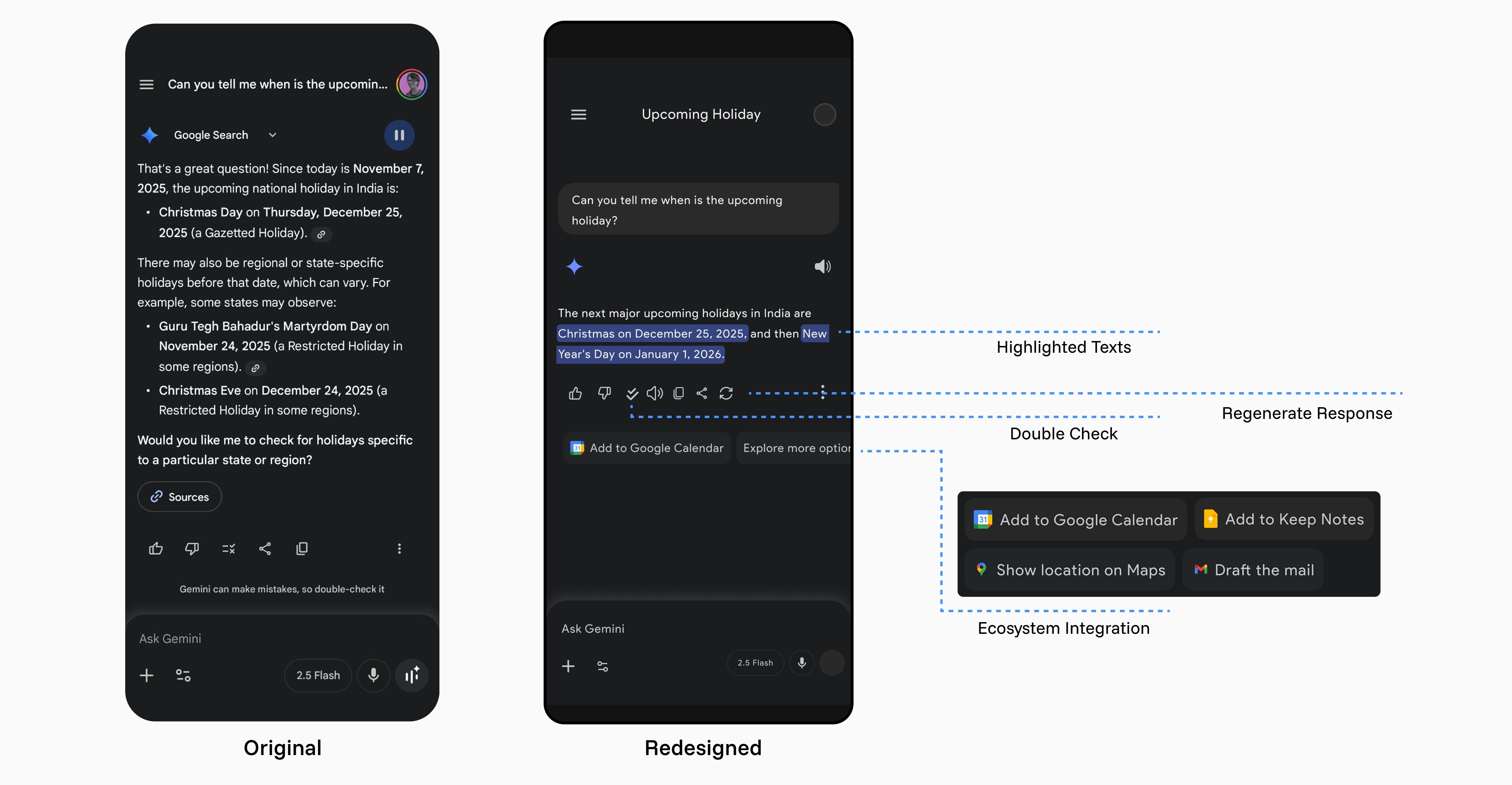
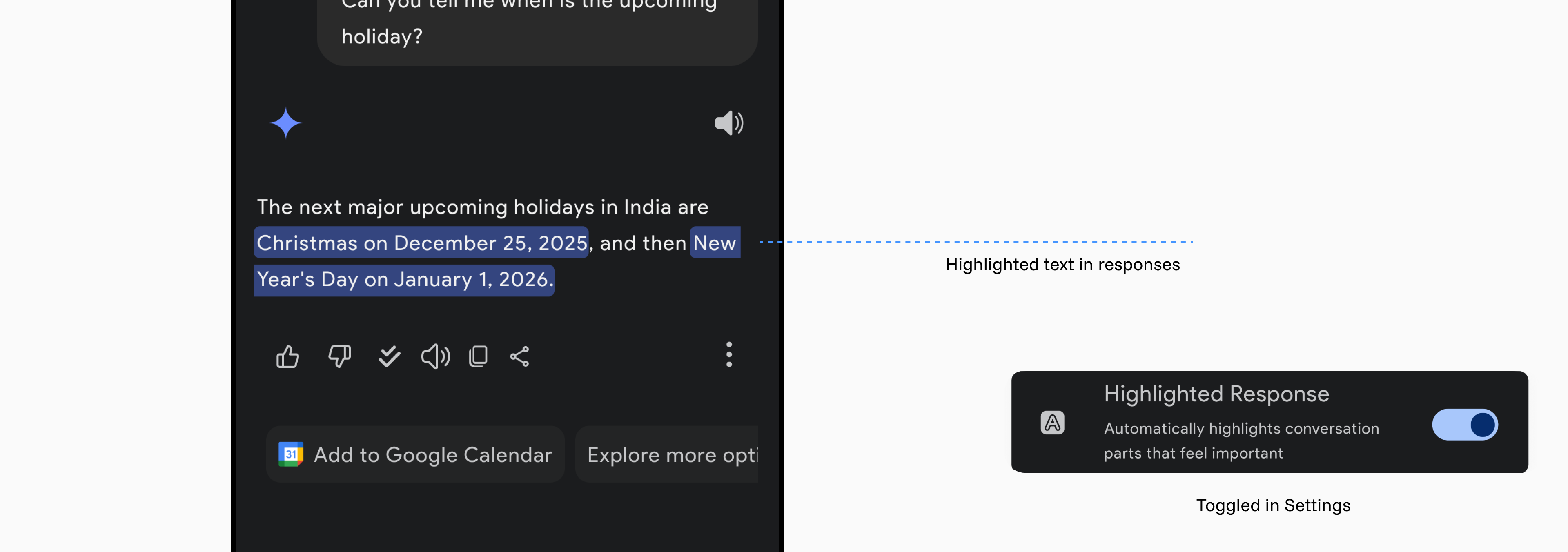
Semi-structured interviews revealed smaller usability issues that interrupted everyday tasks.
We proposed targeted changes to make those tasks easier to find, complete, and recover from.
Appendix